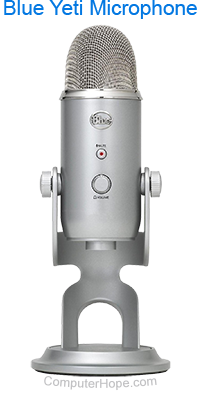
Quick links Microphone ABCs Recording tips Troubleshooting MICROPHONE ABCs A microphone, which was originally invented by Emile Berliner in 1877, is a device which allows you to record voices or sounds and place them onto computers, generally as a wav file. Microphones also can be used with other applications such as a voice dictation program or a voice conference program. While not all computers come with microphones, a microphone can be purchased at a local retail store such as radio shack or any other retail store. When purchasing a microphone, it is not always necessary to purchase a microphone capable of recording extended frequencies as the normal human voice is only capable of going so high or low.
 When connecting the microphone to the back of the computer, the microphone will be placed in the hole which generally has Mic or Microphone written next to it as illustrated in the above illustration. While generally Microphones are a separate computer component, some manufacturers are integrating the microphone into computers. Generally, integrated microphones can be found on laptops and some desktop monitors. Integrated Microphones are usually a small hole in front of the computer which when spoken into will record your voice. | |  | | RECORDING TIPS When recording your or another person's voice do not hold the microphone too close to the individual's mouth. Doing
so can cause static or mumbled voices. If your sound record quality is low and you are running Windows 95 / Windows 98, attempt to open the sound properties icon by double clicking the sound icon located on the Systray (next to your time). |