
How to change the IP address of an Android phone or device
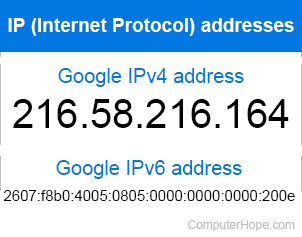
On the Internet, your IP address is similar to a postal address. It uniquely identifies where you are so that information can be sent to you. Your IP address can change depending on what network you're using to connect. It can also be changed manually, with certain limitations, if desired.
To change your IP address on an Android device, follow these instructions.
The basics
Before reading any of the information below, you must be aware of some network basics.
- Realize there are two types of IP (Internet Protocol) addresses. Know the difference between a static IP address and a dynamic IP address. See each link for additional information about these terms.
- When on the Internet, it's up to your ISP (Internet service provider) to assign and give you your network address seen by the Internet. When on a LAN (local area network) or WAN (wide area network), the home or corporate router assigns the IP addresses.
- If you're planning on designating or using a static IP address, be aware of how IP address ranges are handled and be familiar with the netmask. See each of these links for additional information.
Change the local IP address of your Android device
Your local IP address is tied to your computer's wireless network. By default, a home router uses DHCP (Dynamic Host Configuration Protocol) to assign an IP address to each device that connects to your network. Each IP address assigned by your router uses NAT (network address translation) to translate the internal network IP to the ISP assigned IP address.
Change your Android local IP address by connecting your router and adjusting the router settings for your Android device. For example, assign a static IP to your Android device, choose the option to re-assign the address, or remove the device and be assigned a new address.
Some routers may re-assign your Android device a new IP address if rebooted. If you don't want to adjust your router settings, try unplugging the power to the router for a few minutes and then plug the power back into the router.
These steps only change the IP address of your Android device on your local network. Steps for changing your public IP address (external to your local network) are mentioned below.
Change the public IP address of your Android device
Before proceeding, it's good to know your device's public IP to verify its changes. Do a Google search for "What's my IP address?" to see your public IP.
Changing the public IP address requires that the IP address assigned by your ISP changes. Although not always possible, suggestions on how to change your router's public IP address in the link below. If these steps do not help, hide your IP address behind a VPN by following the steps in the following section.
Hide your public IP address behind a VPN
A VPN (virtual private network) allows any device including an Android device to hide behind one of the VPN's IP address. In other words, connecting to a website or anything on the Internet, your IP is the VPN IP address and not your public IP address. To install a VPN on your Android device, follow the steps below.
- Visit the Google Play Store and download the free app called PureVPN.
- After installing the app, open it and sign up for an account.
- Once you've verified your account, open PureVPN and click the green Quick connect button in the center of the screen.

- Once connected, your public IP address is changed.
To change your public IP address again, disconnect and reconnect to PureVPN.
Change your device's IP address on a mobile network
There is no need to change your devices IP address on a mobile network because mobile networks use DHCP to assign IP addresses, so they change frequently as is. However, if you're also concerned about assigned mobile network IP addresses, choose to connect to the Internet using a VPN app, as mentioned in the above suggestions.