
How to disable the serial number on an Intel Pentium III+
To disable the serial number on a Pentium III CPU, follow these steps.
About the Serial Number

This controversial feature is found on each Intel Pentium III processor and is a unique serial number that identifies a computer. This feature was designed for security reasons; for example, when doing credit card submissions over the Internet, identification could be verified using this unique serial number. However, this feature caused many users to fear the ability of being uniquely tracked. Because of this fear, Intel gave the user the option to enable or disable this feature, and by default this feature is disabled. If you have not enabled this feature, you should not need to disable it.
New Pentium III and later processors
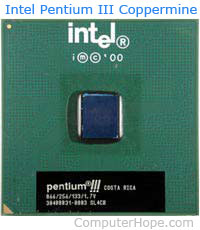
To enable or disable this feature, download a software application from Intel that lets you display the status and change the status of the serial number. See the utility downloads section for this file.
Early Pentium III processors
Because of the controversy concerning this feature later Intel Pentium III and later Intel processors that had this feature enabled users to disable this feature through the CMOS setup.