Computer Hope

Other Pages

Home
Site map
Computer help

Dictionary
News
Q&A
What's new

Tools

E-mail this page
Print Preview
Edit this page


Reference number: CH000110

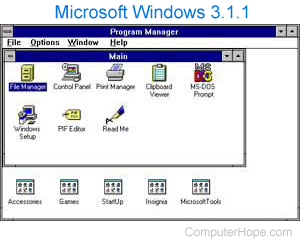
Deleting a group/icon in program manager.

Issue:

Deleting a group/icon in program manager.

Solution:

Highlight the icon / group you wish to delete permanently and press the del / delete key on the keyboard.


Index

Category:
Win 3.x Q&A

Companies:
Microsoft

Related Pages:
Windows 3.x


Resolved

Were you able to locate the answer to your questions?


Home - Computer help - Contact - Dictionary - Links
Link to Computer Hope - Bookmark Computer Hope