
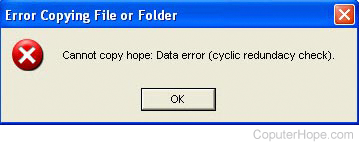
How to fix cyclic redundancy check or CRC error
Network or Modem transmission issues
If you're attempting to open the file from a network or modem, the network is probably encountering either collisions or other errors during the data transmission.
If you're sending the file through a session, such as FTP or Telnet, it may not be sent properly. If the file is a text file, the file must be sent as either ASCII (American Standard Code for Information Interchange) or text mode. If, however, the file is a program or non-text file (e.g., a picture), it must be sent as a binary file.
- Re-send the file.
- Try an alternate method of sending the file.
- Verify the file was sent properly (ASCII, text, or binary).
- Verify with a network administrator that the network is not experiencing issues.
Removable media issues
If the file causing the CRC (cyclic redundancy check) error is on removable media, such as a Zip disk or floppy diskette, the disk may be damaged.
- Scan the disk for errors.
- Try an alternate diskette or media.
CD issues
If the file is being opened from a CD-ROM (compact disc read-only memory), the CD (compact disc) is dirty or scratched causing read errors. If the CD was burned, it is a bad burn.
- Clean the CD-ROM.
- Re-burn the software.
File is bad or program attempting to open the file is bad
Finally, if opening a file from the hard drive or other media, the file is likely corrupted, or the program opening the file is corrupted.