
How to view the name or label of a drive
Updated: 08/31/2020 by Computer Hope
Below are the steps to view or label the name of a drive on your computer.
Windows users
- Press the Windows key, type My Computer, and press Enter.
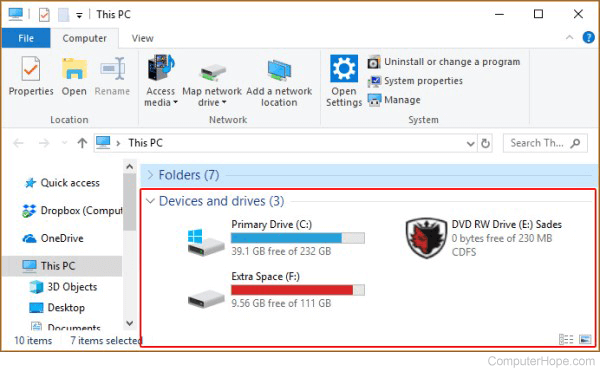
- In My Computer (This PC for Windows 8 and up), each drive name precedes the drive letter. For example, in the image below, Primary Drive is the name of the C: drive.
Tip
You can right-click a drive icon and select Properties to display and change its name.
MS-DOS and Windows command line users
- Change to the drive letter you want to change.
- Once you're in the drive, type label, and press Enter.