
How to insert a page break in Microsoft Word and OO Writer
Updated: 08/31/2020 by Computer Hope
Tip
Most Word processing programs, including Microsoft Word and OpenOffice, support the Ctrl+Enter keyboard shortcut to insert a page break. If this keyboard shortcut doesn't work or you want more break options, follow the steps below.
Microsoft Word users
To insert a page break in a Microsoft Word document, follow the steps below.
Microsoft Word 2007 and later
- Click the Insert tab.
- Select the Page Break option. After inserting the page break, your cursor should be placed on the next page.
Microsoft Word 2003 and earlier
- Click Insert in the top menu. If you do not see the top menu, press the Alt.
- Select Break from the drop down.
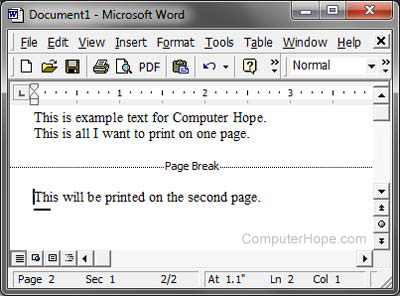
- Select Page Break and click OK. After inserting a page break, the Page Break line (shown below) becomes visible or the text cursor is displayed on a new page.
OpenOffice Writer users
To insert a page break in an OpenOffice Writer document, follow the steps below.
- Click Insert on the file menu.
- Click Manual break.
- Select Page Break and click OK.