
Character Map
The Character Map is a Microsoft Windows utility for seeing all available characters and Unicode in each of the fonts installed on the computer. Pictured is an example of what the Character Map or charmap looks like in Microsoft Windows.
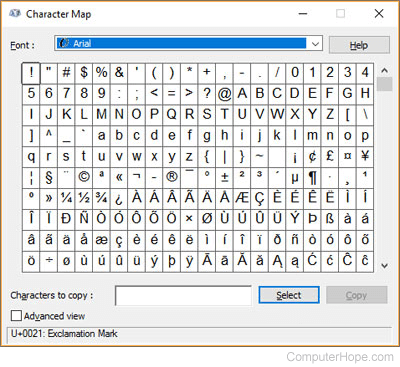
How to open the Windows Character Map or charmap
Windows 7, 8, and 10 users
Click Start, open Windows Accessories, and choose Character Map. Or, press the Windows key, type charmap, and press Enter.
Windows XP and earlier users
Click Start, Run, and type charmap and press Enter.
What font should I use in the Character Map?
The font depends on what type of character symbol you are trying to find. For non-english characters almost any font should work. For other more specialized character symbols, like an arrow, check mark, book, operating system, hands, etc., we suggest using the Wingdings font.
Charmap example of inserting a check mark into Microsoft Word
- Open Microsoft Word and Charmap.
- In the Character Map window, select Wingdings as the font.
- Scroll down until you see the check mark (character code: 0x6FC).
- Click the check mark and click the Select button.
- Once the check mark is entered in the characters to copy text box, click the Copy button.
- Switch back to Microsoft Word and paste the checkbox into the document.
Character, Font, Special characters, Typography terms, Unicode, Windows Accessories