
Thin client
Diskless workstations and thin clients are client computers that are connected to a networked server. The computer contains the minimum amount of hardware required for the user to interact with the system. The server does the "hard work," including booting, storing data, and performing calculations.
What is a diskless workstation?
Alternatively called a diskless node, dumb terminal, or dumb terminal, a diskless workstation is a networked computer that provides no local hard disk storage. These terminals have a monitor, motherboard, network card, keyboard, and mouse. This term also describes any computer with a hard drive, but boots and uses applications from the network. This type of computer is often called a hybrid computer or network computer.
What is a thin client?
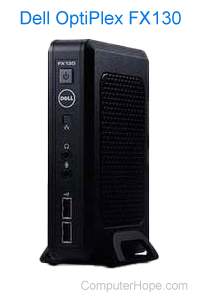
The thin client was first used in the mid to late 1990s, but the term "thin client" was coined in 1993 by Tim Negris, a VP at Oracle Corporation. These basic computers provide a graphical user interface and input and output for the user. Thin clients are not typical computers, but rather a terminal that relies on another computer (usually a server) to supply the operating system and software applications needed by the user. Multiple thin clients can connect to one primary system that runs an "instance" of an operating system and software. The picture shows a thin client from Dell. Unlike a diskless workstation, a thin client does little processing and usually only runs a small client that handles the input and output and basic display.
Why are these computers used?
These computers are used in corporate and hazardous environments for many reasons, including:
- They are more cost-efficient than a traditional computer.
- They sip power. Energy costs are reduced.
- They have no moving parts, such as fans or hard disk platters, an important factor in environments where dirt, dust, and heat are present.
- Because there are no moving parts, they are less likely to fail, compared to a traditional desktop computer.
- It's easier to administer and maintain a single, centralized server than to support numerous, physically separate operating system installations.
- The computers are easier to secure, because all updates and data occur on the centralized server.
- Replacement is easier, because no software must be set up or restored for the user. Only the hardware is replaced.
Who uses diskless workstations and thin clients?
Diskless workstations and thin clients are used by large organizations, such as governments, enterprises, and educational institutions. When deployed at the scale of hundreds or thousands, these machines are easier to support, because they share a single, centralized set of resources.
Blade, Client, Dumb, Network terms, PXE, Smart terminal, Terminal, Thick client, Workstation