
Telnet
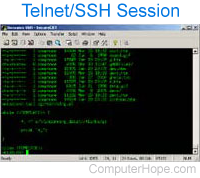
A terminal emulation that lets users connect to a remote host or device using a telnet client, usually over port 23. For example, typing telnet hostname connects a user to a hostname named hostname. Telnet lets users manage an account or device remotely. For example, a user may telnet into a computer that hosts their website to manage their files remotely. The image shows an example of a telnet session. As shown, a telnet session is a command line interface.
Telnet is considered insecure because it transfers all data in clear text. If a user was sniffing a network, they could grab your username and password as they were transmitted. Users concerned about transmitting data securely should use SSH (secure shell) instead of telnet.
How to install telnet in Windows
If you know the security issues mentioned above and still want to install a telnet client in Microsoft Windows, it can be added through the Windows Features.