
Wallpaper
Updated: 09/12/2023 by Computer Hope
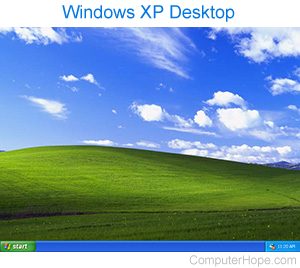
Also called a desktop background, a wallpaper is an image displayed behind the graphical user interface when the user's desktop is visible. It's the picture, color, or pattern you see on the main OS (operating system) screen after your computer has booted up. In the picture, you can see an example of a Microsoft Windows XP desktop featuring a wallpaper depicting white clouds in a blue sky over a green hill.
Confusion between screen saver and wallpaper
Many new computer users confuse a wallpaper with a screen saver, which is the moving picture or animation shown when you are away from your computer. See our screen saver page for further information and related links on this term.
Background, Desktop, GUI, Live wallpaper, Operating system terms, Wallpaper engine, Windows Theme