
Microsoft Plus!
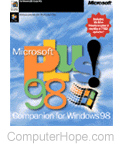
Microsoft Plus! was a package of optional, additional software for Windows 95 and Windows 98 published by Microsoft. The Plus! package added new features and appearances to the Microsoft operating systems.
Plus! 95
Microsoft Plus! 95 is an additional package that can be purchased for Windows 95 users. Installing Microsoft Plus! 95 allows the end-user to have the below features not found in the standard Windows 95 package.
Microsoft Themes - Themes allow you to customize the desktop and icons, giving the look and feel of a particular environment. There are a couple themes included with the Plus! pack including the ability to connect to the Internet and download thousands of themes from your favorite music artist or movie.
Customizable view - Various new features allow you to improve the look of their desktop. Some examples of these include a fullscreen wallpaper, smooth font for better looking fonts, and show window while dragging.
The above features are some new additions with Microsoft Plus! 95. Windows 98 has all of the Microsoft Plus! 95 features included within it.
Plus! 98
Like Microsoft Plus! 95, Plus! 98 includes several additional features not found in the standard Windows 98 package; the following is a listing of some features.
McAfee VirusScan - Network Associates virus protection utility is included that helps protect your computer from viruses. This add-on also is included with a free six months of updates.
Microsoft Themes - Additional themes for the pre-existing theme package.
File Cleaner - Utility used to clean files that are no longer needed.
Deluxe CD Player - Utility used to play your favorite CDs (compact discs). Unlike the original CD Player, the Deluxe CD Player can connect to the Internet and automatically download the title and song names of your CDs.
New games - Includes: Lose your Marbles, Spider Solitaire, and Golf 1998 Lite.
Additionally, Windows 98 SE and Windows 2000 do not include the 98 Plus! package. Windows 2000, however, does incorporate the new Deluxe CD Player.
Technical support
Microsoft Plus! 95 technical support
There is a folder ~MSSETUP.T. Is this folder needed?
This folder was used during the installation of Microsoft Plus and is unnecessary after Microsoft Plus installation.
Enabled Show Windows Contents While Dragging feature, but this does not work in all programs, why?
Programs you may be running may bypass the Windows code by implementing its own code; because of this, it will not work with these programs.
I am trying to do animated icons, but they are black and white and do not work. Why? You first must be meeting the below requirements to do the animated icons.
- You must be using protected-mode disk drivers.
- You must be using a Windows 95 video driver that meets the certain criteria. Not all Windows 95 video drivers support animated icons, contact your manufacturer to ensure you meet these requirements.
After installing Microsoft Plus! when booting up my computer the window that says Starting Windows scroll bar is scrolling the opposite direction is this ok?
Yes, this is something that changes with the Microsoft Plus! program.
Microsoft Plus! 98 technical support
There are no known issues with Microsoft Plus! 98.