
How to quickly rename multiple files in Windows
Updated: 10/17/2017 by Computer Hope
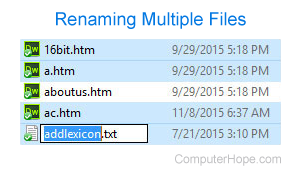
Rename multiple files in Microsoft Windows XP Explorer by following the steps below.
- Once the files are selected press F2 and type the new name for the files. For example, typing "test" renames the files to test, test(1), test(2), test(3) etc.
Note
If you have show file extensions enabled, make sure to also type the name of the file extension you're renaming.
If you need each of the files renamed as a different name, you can also quickly go through files by following the steps below.
- Highlight the first file and press F2.
- This action opens rename for the highlighted file. After the file is renamed press Tab to go to the next file.
Finally, if the above suggestions don't help or you need a more powerful tool for renaming multiple files in Windows we suggest the Bulk Rename Utility.