
Unable to play DVD through TV/VCR
Updated: 07/13/2023 by Computer Hope
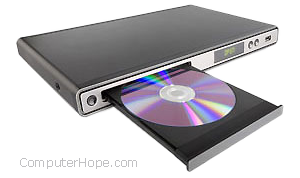
To troubleshoot issues with a DVD not playing or displaying on your TV, review each section below for options to check.
DVD not connected properly
- Verify that the RCA or S-Video cable is plugged into the correct port on the TV or VCR. This connection will be labeled as LINE IN, CD (compact disc) LINE IN or SVIDEO. Most are color-coded or recognizable by their shape.
- Verify that any device in the connection loop is receiving power; most of them have an indicator light on the front.
Note
If neither of these solutions work, your DVD (digital versatile disc) player may be broken.
TV or VCR line not set properly
- In most cases, it is necessary to change the source of input to of the TV or VCR (video cassette recorder). Press the LINE, TV/VCR, VIDEO or Input Select button on the remote to your TV or VCR to change the input.
Note
Sometimes, both devices (TV and VCR) need to have their input settings changed.
Laptop video signal not set
If you are using your laptop as the DVD player, verify that the connections are properly attached to the laptop or DVD dongle. Next, verify that the video signal is set properly; some laptops may require that a special key combination be pressed to switch to video out.