
How to make the Windows My Computer icon the first icon
Updated: 01/05/2018 by Computer Hope
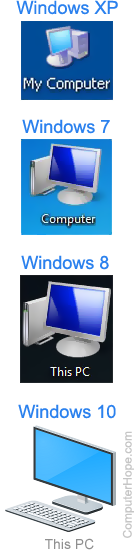
By default, Microsoft Windows XP places the My Documents folder as the first icon on the desktop. Users who don't use My Documents or are familiar with previous versions of Microsoft Windows may want to have the My Computer icon as their first icon. To do this, follow the steps below.
- Download and install TweakUI onto the computer.
- Once installed, open TweakUI.
- In TweakUI, click the + next to Desktop and select First Icon.
- Select My Computer to be the first icon, and click OK.
Alternatively, if you never use the My Documents folder or never find yourself opening it, you can also remove this icon from the desktop. In TweakUI, uncheck My Documents under the Desktop category. Doing so makes the My Computer icon as the first icon.