
General questions and answers regarding Microsoft Defrag
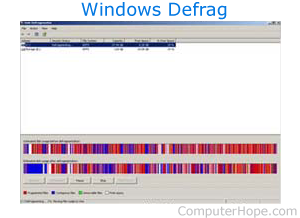
Below is a listing of general questions and answers commonly asked regarding Microsoft Defrag.
How do I run Windows Defrag?
How often should I run Defrag?
It's difficult to answer this question as every computer and computer user is different. We recommend running Defrag at least once every 2-3 months. If the computer begins to run slowly running Defrag also helps with performance issues.
How long does it take for Defrag to complete?
The time for Defrag to complete depends on the capacity of the hard drive and how fragmented the drive is. With today's hard drives, it's not abnormal for this scan to take several hours to complete.
Can Defrag cause physical problems?
Defrag is a software utility designed to arrange the data on the hard drive. Defrag will not cause any physical problems to the hard drive regardless of how much it's ran.
Which versions of Microsoft Windows have Defrag?
Defrag was introduced in MS-DOS 6.0 and was also available in all versions of MS-DOS after this version. Users who had these versions of MS-DOS with Windows 3.11 could also run Defrag. Defrag was also available in Microsoft Windows 95, Windows 98, Windows Me, Windows 2000, Windows XP, Windows Vista, and all later versions of Windows. Although each version of Windows has a different version of Defrag because of the different file systems and properties of the operating systems.
Other problems with Defrag
If you have other questions or problems with Defrag, see the Defrag help page.