
How to test computer memory to determine if it's bad
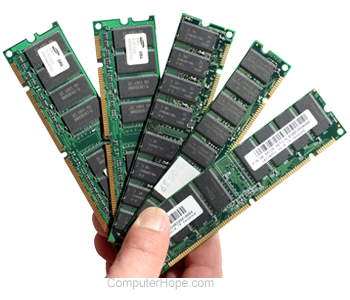
Bad memory can cause an assortment of different issues on your computer. Below are some possible issues you may encounter. It is important to remember that the below issues can also be caused by more than bad memory.
- Computer does not boot, and you are getting a beep code.
- Random computer crashes causing BSoD, general protection fault error messages, illegal operations, fatal exceptions, etc.
- Random computer reboots.
- Software installation failure.
Before testing your memory, if you have recently added any new memory into the computer, we suggest you temporarily remove it to make sure it's not causing your issue.
Software
Several programs can test your computer's hardware, including the computer's memory:
- Windows Vista, Windows 7, Windows 8, Windows 10, and Windows 11 have a Windows Memory Diagnostic Tool that can be accessed by clicking the Start and typing "memory" in the run line. Running this command opens the Memory Diagnostics Tool with two options: "Restart now and check for problems" or "Check for problems the next time I start my computer." Choosing either of these options runs the computer through a memory test the next time it starts up.
- Memtest86 - Our recommendation for testing computer memory, Memtest86 is an x86 compatible, free memory tester.
- DocMemory - Another great software solution to test the status of your computer's memory.
Below is a listing of other great products for you to check out.
- Memory testers - Companies offer different hardware solution for testing computer memory. These are the highest quality methods for testing memory but are likely only used at a computer service center due to their cost.
- PC-doctor - A fantastic, but not cheap solution used by service centers and technicians to diagnose computer hardware issues including memory issues.
- PC Diagnostics - A company that offers both hardware and software solutions for testing most of the hardware in your computer, including memory.
- Ultra-X - A great collection of products that helps test computer hardware, including memory.
Swap and remove memory
If you can get compatible memory from another computer, swap it into your computer to see if that's the issue. Using memory known to be functional in a computer that may have a memory problem is a good method of checking.
If your memory works in another computer without issues, you're likely encountering a motherboard, power supply, or other hardware issue.
Replace memory
If you have found the memory to be bad, we suggest replacing the memory with new memory. Additional information and buying tips on computer memory is on our memory buying tips page.