
How to remove text shadows on Windows XP desktop icons
Updated: 01/05/2018 by Computer Hope
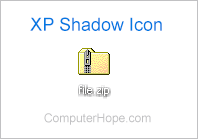
Windows XP desktop icons labels have a drop shadow effect that help improve the overall visibility of an icon. Unfortunately, like the example image, when the desktop wallpaper is the same color as the icon text, it makes it extremely difficult to read. Below are the steps required for disabling this feature in Windows XP.
- Open the Control Panel.
- Double-click the System icon.
- In the System Properties window, click the Advanced tab.
- In Advanced, click the Settings button under the Performance section.
- In the Performance Options window, scroll down to Use drop shadows for icon labels on the desktop and uncheck the option, and click OK.
- Right-click an empty area on the desktop and select Arrange icons by in the drop-down menu.
- Make sure the box next to Lock web items on desktop is not checked.
- Once you've completed these steps, the drop shadow should be gone.