
How to change the icons in the Windows Quick Launch
Updated: 02/01/2021 by Computer Hope
To change the picture of any of the icons in the Quick Launch portion of the Microsoft Windows taskbar, follow the steps listed below.
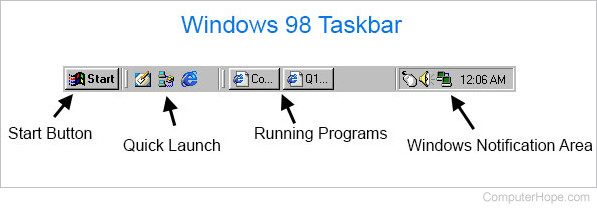
Note
The Quick Launch bar was removed from the taskbar in Windows 7 and later versions of Windows. To add it back to the taskbar, see: How to enable, disable, or adjust the Windows Quick Launch.
- Right-click an empty portion of the Quick Launch bar. If you're unable to find an empty portion of Quick Launch, expand the Quick Launch bar by dragging the divider between Quick Launch and the open windows to the right.
Note
If the taskbar is locked, you cannot expand the Quick Launch bar. To unlock the taskbar, right-click any blank space on the taskbar, and click Lock the taskbar.
- After right-clicking the Quick Launch bar, select Open Folder, which opens the folder containing each of the icons in your Quick Launch.
- In the Quick Launch bar window, right-click the icon you want to change and select Properties.
- Click the Change Icon button and select or browse to the location of the new icon you want to use.
Note
Some programs may not allow you to change the icon. If the Change Icon button is greyed out or not visible at all, you cannot change that icon.