
How to fix CMOS memory size mismatch
If your computer reports a "memory size mismatch" when you boot the computer, the following information may help you understand why, and what to do.
Memory has recently been added or removed from the computer
It is normal for a computer to report a memory size mismatch or memory error when memory is added or removed from the computer. When this error is encountered, enter CMOS and ensure the settings for the memory are properly set and then save and exit from CMOS.
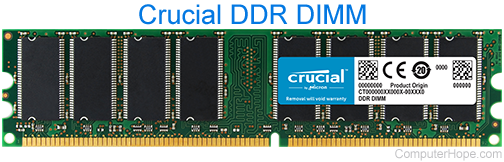
Memory settings improperly set in CMOS
CMOS can become corrupt or reset the memory settings back to the factory default settings. Enter the computer CMOS setup and make sure the CMOS memory settings are properly set for the amount of memory you have in the computer.
Issue with computer memory or motherboard
If the CMOS settings are properly set for the amount of memory installed and the issue persists, you may have a memory conflict with incompatible memory. If memory was recently added to the computer, remove that memory to see if the issue resolves itself.
If removing the memory fixes the problem, we suggest trying different memory in the computer or remove the old memory and only use the new memory.
If the issue persists, there may be an issue with the computer memory or motherboard may be present and we recommend you contact the computer or memory manufacturer.