
Why is my computer's speaker volume low?
Updated: 08/31/2020 by Computer Hope
Volume turned down
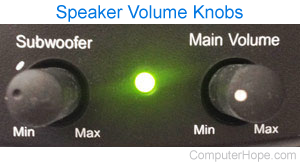
Make sure the volume both on the speakers and in the software is properly turned up.
Speakers not correctly connected
Verify the speakers are connected to line out on the back of the computer (not line in). Also, verify that the speakers are plugged in firmly since a partially connected speaker can still generate some sound. The connection must be plugged in firmly into the back of the computer.
Non-amplified speakers
To receive a high volume of sound, the speakers must be amplified, meaning that the speakers must have a power source. If your speakers do not utilize a power source such as through batteries or through the standard power outlet, consider purchasing a new pair of speakers.