
How to format a floppy diskette
Updated: 11/13/2018 by Computer Hope
Formatting a floppy diskette in Microsoft Windows
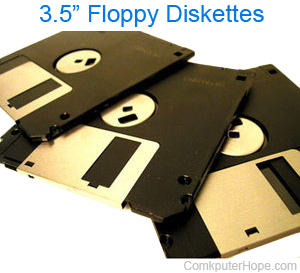
To format a floppy diskette in Microsoft Windows, insert a blank diskette or a diskette you want to erase and follow the following steps.
- Open My Computer.
- In My Computer, right-click the 3 1/2" Floppy (A:) icon.
- Click the Format option.
Alternatively, you can format a floppy diskette from the Windows Command Prompt by following these steps.
Formatting a floppy diskette in MS-DOS
To format a floppy diskette at the MS-DOS prompt, insert a blank diskette or a diskette you want to erase and type the following command.
format a:
After pressing Enter, a prompt asking to erase all information on the diskette appears. To continue, type Y or Yes to continue.
If you need additional information about the MS-DOS format command or available format switches, see the format command page.