
My computer or computer plug is sparking or smoking
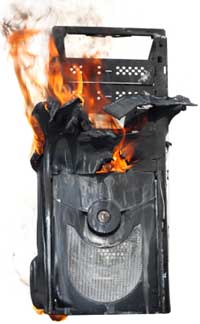
If your computer, its plug, power strip, or the wall outlet is sparking or smoking, you'll need to inspect one or more of these components. Below are different symptoms relating to this issue and recommendations to what to do when these symptoms are occurring.
Wall outlet is sparking or smoking
You may notice sparks when plugging something into an outlet, this is ok. However, if you notice sparks or notice smoke at anytime coming from the power outlet, contact a certified electrician immediately to have your house and wall outlet inspected.
Power strip or surge protector is sparking or smoking
You may notice sparks when plugging something into an outlet, and that is okay. However, if you notice sparks after or while something is plugged in, or notice smoke coming from the power strip or surge protector, replace it immediately.
Computer is sparking or smoking
Recommendations:
- Disconnect any non-essential peripherals, such as the printers, speakers, scanner, etc. If this resolves your issue, other peripherals are likely causing your problems.
- If you're using a power strip or surge protector, connect the computer directly into the wall. If this resolves your issue, your power strip or surge protector may be defective and should be replaced.
- Try plugging the computer into a different wall outlet. If this resolves your issue, the wall outlet is likely defective and we recommend contacting an electrician to look at the wall outlet.
- Try using a different power cord. If this resolves your issue, it was likely only a defective power cord.
If none of the recommendations above resolve your issue, identify what is sparking or smoking and replace it. If you are unsure what computer component is causing the sparking, start with the power supply. You can also take the computer to a service center for diagnostic help.
Monitor is sparking or smoking
Recommendations:
- If you're using a power strip or surge protector, connect the monitor directly into the wall. If this resolves your issue, your power strip or surge protector may be defective and should be replaced.
- Try plugging the monitor into a different wall outlet. If this resolves your issue, it's likely that wall outlet is defective and we recommend contacting an electrician to come look at the wall outlet.
- Try using a different power cord. If this resolves your issue, it was likely only a defective power cord.
If none of the above recommendations resolve your issue, we suggest replacing your monitor as it is likely defective.