
Duke Nukem 3D
Updated: 03/05/2023 by Computer Hope
Duke Nukem 3D overview
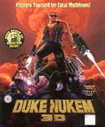
Type: Action
ESRB Rating: Mature
Release Date: 01/29/1996
Developer: 3D Realms (PC), Lion Entertainment, Inc. (Mac)
Publisher: 3D Realms (PC), MacSoft Games (Mac)
Duke Nukem 3D is the next best thing to Doom and Quake. Duke Nukem brings back the fun and excitement in an all new 3D game with all new weapons and all new enemies.
With all new effects and great humor, big guns, and big explosions, Duke Nukem 3D is loads of fun.
This game is also available for macOS and is titled Duke Nukem 3D: Atomic Edition.
System Requirements: Microsoft Windows - Apple - Linux
| Windows System Requirements | |
|---|---|
| Operating System: | Windows 95, Windows 98 |
| Processor: | Intel 486 DX2 66 MHz |
| Memory: | 16 MB RAM |
| Graphics Card: | VGA local bus video card, VESA compliant |
| Sound Card: | Sound Blaster compatible sound card Supports Adlib, Disney Sound Source, Gravis UltraSound, Pro Audio Spectrum, SoundMan 16, WaveBlaster |
| Hard Drive Space: | 30 MB |
| CD/DVD Drive: | 4X CD-ROM |
| Controls: | Keyboard & Mouse Joystick/Gamepad optional |
| Multiplayer: | Supports 1-4 players 14.4 Kbps modem or IPX compatible network card SLIP or PPP for Internet Play (through third party) |
Cheats
- DNGODLY - God mode ON
- DNUNGODLY - God mode OFF
- DNCORNHOLIO - God mode (toggles)
- DNKROZ - God mode (toggles)
- DNWARP<episode><level> - Enables you to jump to a different episode and level
- DNSCOTTY<episode><level> - Enables you to jump to a different episode and level
- DNAMMO - Provides you with all ammunition
- DNVIEW - Allows you to watch duke from a few feet behind
- DNWEAPONS - Provides you with all possible weapons
- DNUNLOCK - When in front of a lock door, using this code will unlock it
- DNITEMS - Provides you with all keys and items related to the level
- DNSTUFF - Provides you with all keys, weapons, ammo for the level
- DNKEYS - Provides you with all keys
- DNINVENTORY - Provides you with all inventory items
- DNBETA - Displays the message "Pirates Suck!"
- DNTODD - Displays the message "Register Cosmo"
- DNALLEN - Displays the message "Buy Major Stryker"
- DNSHOWMAP - Displays the entire map
- DNRATE - Shows the frame rate (2 numbers top left of screen)
- DNSKILL<skill level 1-5> - Restart level with skill #
- DNCLIP - Enables you to walk through walls
- DNHYPER - Use steroids!
- DNENDING - Ends the episode
- DNCASHMAN - Duke throws out some cash (press spacebar)
- DNMONSTERS - Remove all monsters from the level
Technical support
- Full listing of computer game terms.
- All general computer game related Q&A's.
- Sound card help and support.
- Video card help and support.
- 3D Realms company and contact information.
- Help for the Duke Nukem 3D computer game.
- Basic computer game troubleshooting.
- Where can I find cheat codes for my game?
- How to get a new unique identification number if lost.
- Why is there no sound in new game, but it works elsewhere?
- How to find information about computer products.
- How to get old MS-DOS games to run in Windows.
- Why is my online game so slow?
- How to play a game over the Internet.
- If your question is not listed here try our computer help forum.