
What to do with an old computer
Often, people who purchase a new computer will wonder what to do with their older computer, or if they should throw it away. Below are recommendations of what you can do with your older computer.
Use the computer for other things
Many people think once they get a new computer their old computer automatically becomes obsolete and can't be used for anything else. Surprisingly, you can do a lot with that old computer:
- Setup home network - If you do not already have a home network, set one up. Use the older computer as a client on your network. Once your computers are connected, you can use your older computer as a storage or for backup. See: How to set up a home network.
- Printer server - If you have a home network or plan on setting up one, you can use the computer as a printer server. A printer server enables you to share one or more printers between multiple computers, see: How to share a printer between multiple computers.
- Alternate operating system - Alternative operating systems, such as Linux, are becoming increasingly popular. Even if you want Microsoft Windows, you can always dual-boot into Linux. You can also install Linux on an older computer, because Linux often runs well on older hardware. If you're interested in trying Linux, see: Where can I get Linux?
- NAS - Setup a NAS (network-attached storage) to store backups, MP3 files, videos, and other files.
- Distributed computing - Several distributed computing projects that use the power of millions of different computers to help solve complex problems.
Give to kids or relatives
Most kids would love a computer in their room, even if it's an older computer. See if any of your kids would like to have the families old computer for their computer. If you decide to allow Internet access on that computer make sure to protect that child while online.
See if any of your family relatives would like to have your computer. Setting up a family member such as a grandparent with a computer especially one who has never had a computer can make a huge difference in their life.
Use it for spare parts or cannibalize it
Open the computer and take any spare parts you think you need for your new computer. Things you may want to keep include: fans, power supply, CD-ROM (compact disc read-only memory), floppy drive, hard drives, and memory.
The parts mentioned above can be kept as a backup in case parts of your new computer fail. Or, components like a CD-ROM, hard drive, or memory can be added to your new computer to give it additional capabilities.
Sell it
Selling a computer can seem like more work than getting rid of it, but it helps you recoup some money that you can spend on your new computer. It might also be useful for someone who doesn't need to purchase a new computer. And, finding a new home for a computer is good for the environment. Computers contain many precious resources, such as gold, silver, platinum, and palladium, which can be harmful for the environment if discarded improperly. So, there are many great reasons to find a new home for your old computer. For tips and recommendations about selling your computer online, see our online auction site guide.
Donate your computer
Several places that accept working computers as donations to be used for the less fortunate, schools, etc. If you are interested in donating your computer, see the computer disposal page.
Recycle your computer
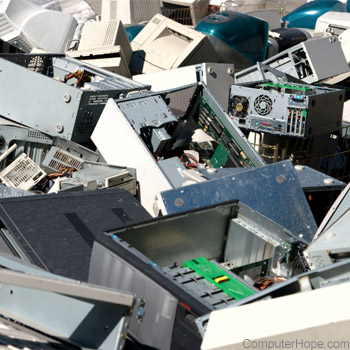
If your computer is so old that no one would accept it as a donation, recycle it and don't throw it away. A list of places capable of recycling computers and computer peripherals is found on the computer disposal page or by searching in your favorite search engine.