
Protect children from harmful material and people on the Internet
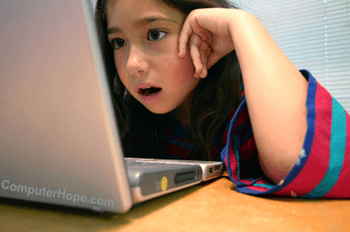
Some web pages and Internet content are unsuitable for all audiences. Below are steps to protect your child from material on the Internet that is harmful or unsuitable for children.
Talk
Talk to your children about the dangers of the Internet and what they should not do while on the Internet. Below is a basic listing of what you may consider discussing with your child.
Personal information
Never share personal information about yourself in chat rooms, on web pages, or with online forms. Examples of personal information include age, physical description, selfies, phone numbers, e-mail and webcam addresses, usernames, or location related information. Additionally, information like passwords, Internet service provider name, where you attend school, and your grade should also not be shared.
Less obvious things, such as a picture containing a license plate or the name of a children's sports team, can also be used to determine someone's location.
Never meet someone
Never agree to meet an individual from the Internet without the parents or guardian at the agreed meeting location.
Internet purchases
Never enter an area that costs money, requires a credit card, requires personal information, or asks for passwords. If you're using dial-up to connect to the Internet, never hang up and dial another number without permission from a parent.
Downloads
Never accept a file or download from another user.
Web page
Do not visit web pages sent to you in an e-mail, chat, or instant messenger without a parent or guardian present.
Gifts
Never accept any gift from users you meet online.
Friends
Don't give out your friend's information as it could be tied to you.
Personal pictures
Never send someone a personal picture online or on a smartphone.
Video and voice chat
Don't participate in video or voice chat that could be used to help determine your age.
Anonymous nature of the Internet
Always remember that the Internet helps hide a person's true identity. Someone might mislead you with a false age or gender to get you to let down your guard.
Talking about sex or provocative images
When online, don't talk about sex, post provocative images, or tease other people online.
Talk to you
If your child ever witnesses something that upsets them or makes them uncomfortable, make sure they know it's okay to talk with you about anything.
Monitor use
Monitor or browse the Internet with your kids, and try to keep the computer in an open area. Don't allow your child to have a computer in their room. If you need to monitor your children's use while away, consider a third-party filter to protect your computer from inappropriate sites. See the Internet filters section for a listing of these programs.
With mobile devices like smartphones and tablets, it can be more difficult to monitor your child's Internet use. To help protect them on these devices, consider disabling Wi-Fi at night or having all charging cables in a public place like the kitchen.
If you are using a new version of Windows, we highly recommend trying the Family Safety program included with Windows. Older versions of Windows running Microsoft Internet Explorer can also protect their family from harmful material by enabling Internet Explorer Content Advisor.
View Internet history
Make sure your child is not viewing appropriate pages by looking at the Internet browser's history, or ensure they are not deleting the history to hide what they are viewing. Look at the browser address bar or location bar for additional information about what was typed in the browser address bar.
If your child is viewing web pages in incognito mode, it is not saved to the history.
View IM buddies
If your computer has an Instant Messenger program, carefully review your child's friend or buddy list.
Social networking sites
Social networking sites such as Facebook, Instagram, Snapchat, and MySpace are popular amongst younger users because they allow them to communicate with friends over the Internet. Unfortunately, these locations are also frequently visited by online predators because of online pictures and personal information posted by many of the users participating in them. If you allow your children to use these sites, ensure they are not posting personal information about themselves. We also strongly encourage parents or the child who set up the account to set their profile to private so only their friends and family can view the profile.
Become their friend
If your child is on a social networking site, join the same network and become their friend or follow them. Doing this is a great way to see what your child is doing and posting.
Know the lingo
The Internet contains acronyms, lingo, codes, and other terms to disguise what is being said. See the top 10 terms every parent should know for commonly used terms and codes with links to further information.
Disable webcams

If your computer has any digital camera or webcam connected, restrict your child from using it without your presence. Or, disconnect or turn it off when it's not being used. Placing a piece of paper over the camera is also not a bad idea.
Watch school websites
Watch your child's school web page for any personal information about your kids, such as pictures of a student, full name, address, etc. This information is found using search engines if a predator knows your child's full name, school, or grade.
Protect them in games
Many children and adults play online games and watch others play online games on Twitch. Like the Internet, children should not give out personal information to other players or trade in-game items for in-game services or real-life personal information.