| Quick links USB ABCs USB versions Compatible O.S. USB Peripherals Technical Support USB ABCs USB (Universal Serial Bus) is a new external bus developed by Intel, Compaq, DEC, IBM, Microsoft, NEC and Northern Telcom and released to the public in 1996 with the Intel 430HX Triton II Mother Board. USB has the capability of transferring 12 Mbps, supporting up to 127 devices and only utilizing one IRQ. For PC computers to take advantage of USB, the user must be running Windows 95 OSR2, Windows 98 or Windows 2000. Linux users also have the capability of running USB with the proper support
drivers installed. To determine if your computer supports USB on the back, front or sides of the computer, look for a small connector with the below symbol. 
USB cables are hot swappable which allows users to connect and disconnect the cable while the computer is on without any physical damage to the cable. 
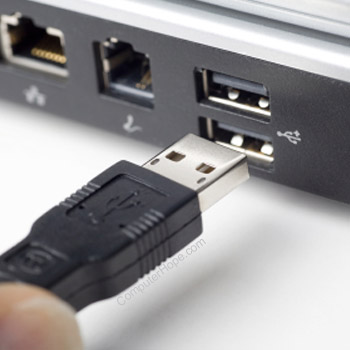
The above illustration is an example of what the end of a USB connector looks like. There are two standards of USB connectors. Type A connectors are found on the computer and/or USB hub and Type B connectors are found on the peripheral. All USB cables should only be legally 5m (16ft) max, as defined by the USB standard. When exceeding this length or utilizing extensions in the cables, data loss will occur. The below illustration are the slots used for each of the connectors shown in the above illustration.
 USB VERSIONS USB 1.0 - The original release of USB with support of up to 127 devices transferring 12 Mbps. USB 1.1 - Also known as full-speed USB, USB 1.1 is similar to the original release of USB; however, there are minor modifications for the hardware and the specifications. This version of USB still only supports a rate of 12 Mbps. USB 2.0 - USB 2.0, also known as hi-speed USB, was developed by Compaq, Hewlett Packard, Intel, Lucent, Microsoft, NEC and Philips and was introduced in 2001. Hi-speed USB is capable
of supporting a transfer rate of up to 480 Mbps and is backwards compatible, meaning it is also capable of supporting USB 1.0 and 1.1 devices and cables. | |  |  | COMPATIBLE O.S. Below is a listing of compatible operating systems which support USB and USB devices supporting the applicable operating system. BeOS 4.5.1 and above Linux (Limited) MacOS 9 Windows 95 OSR 2.0/2.1/2.5 Windows 98 Windows 98 Second Edition
Windows CE 2.10 and above Windows 2000 USB PERIPHERALS The majority of the below products receive the power through the USB port and therefore do not require an additional power cable. Cameras - USB Cameras are available for fast transfer of data. CD-ROM drives - External USB CD-ROM drives are available for quick data transfers. Converters - USB converts are now available. Utilizing these devices you can still use old Serial, Parallel, SCSI and PS/2 devices. Joysticks - Joysticks and other gaming devices are available for fast and quick connections. Keyboards - USB Keyboards available. Printers - Various types of printers are available with USB support. Microphone - USB Microphones and headsets are now available. Modem - USB modems are now an available option. Monitors - Connecting Monitors
to USB can serve sometimes as a hub or allow users to change the settings through software on their monitor. Mouse - USB Mice are now available and generally provide a smoother connection than the PS/2 Port. MP3 Players - Portable MP3 players can now connect via the USB port to transfer data. Network - Network options are available to connect to networks utilizing the USB port. Removable Media - Various type of USB removable mediums are available, such as tape drives, floppy, zip, super disk and many more are now available with USB. Scanners - Various types of scanners are available through USB for fast and easy connectivity. Speakers - USB speakers are now available with various new options. TV Tuners - USB TV tuners are now available for users to have the availability of watching TV via the USB port. There are various types of manufacturers creating each of the above devices. For locations and manufacturers to
purchase these products, please see our USB Network Page. |