
Hard drive is not detected when using a boot diskette
On legacy computers, if the internal hard drive is not detected when the computer is booted with a boot diskette, follow these steps to resolve the problem.
DDO (dynamic drive overlay) or other software utility
The computer's hard drive may be utilizing a DDO (disk drive overlay), which is commonly used for larger hard drives to allow them to work properly. When using a DDO, you must boot the computer from the hard drive as normal. As the computer boots, a message to press a key such as Ctrl+Esc to boot from a floppy is displayed. Once the key combination is pressed, place a boot disk in the computer.
Hard drive is a SCSI hard drive
If you are using a SCSI (small computer system interface) hard drive, it may not be seen until the SCSI device drivers are loaded. Also, some manufacturers may require the drive to be set up and created through the SCSI utility and not fdisk.
Hard drive is not properly setup in CMOS
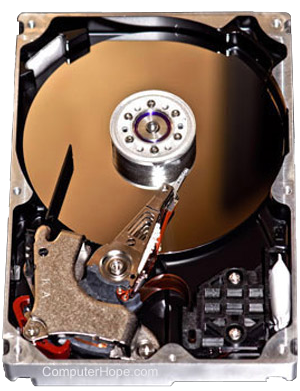
If the computer hard drive is not configured properly in CMOS setup, the hard drive won't be recognized properly. Verify that CMOS is properly detecting and initializing the hard drive.
Hard drive is bad, not formatted
If, when typing fdisk, you receive a message saying "No Fixed Disks preset," the hard drive may be bad or have a loose connection. Try to access the fdisk options, then delete and recreate the partition. After that is done, format the partition to allow it to be readable.