
How to open your user profile folder in Windows
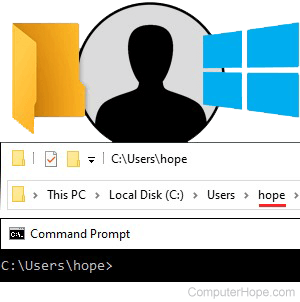
In Windows, your user profile folder is a special folder containing files and folders pertaining only to you. It contains your Desktop, your Documents, and personal data such as your application preferences.
Files in the user profile folder are private to you. If other people use your computer, they cannot view and change the files in your user profile folder, unless they are an administrator. The same permissions apply to all subdirectories of your profile directory, such as your Desktop directory, your Documents directory, etc.
Where is the user profile folder?
Your user profile folder is located in the Users folder on your Windows system drive, which on most computers is C:.
In the Users folder, your profile folder name is the same as your username. If your username is hope, your user profile folder is located at C:\Users\hope\.
The %USERPROFILE% environment variable
If you're unsure what your username is, use the environment variable %USERPROFILE% to access your profile folder.
An environment variable is a special word containing a value. The %USERPROFILE% variable contains the path of your user profile folder.
Using %USERPROFILE% in File Explorer
In your File Explorer, the location bar shows the folder's name you're viewing. It works like an address bar in a web browser. Type a location on your computer in the location bar, and File Explorer opens that folder.
As shown in the following steps, if you type %USERPROFILE% in the location bar, File Explorer opens your profile folder.
- Open a new File Explorer window from the Start menu (Windows System → File Explorer), or press the keyboard shortcut Windows key+E.
- Click the location bar.
- Type %USERPROFILE% and press Enter.
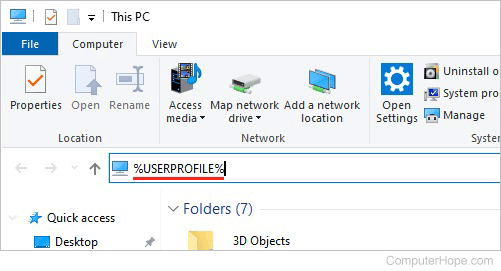
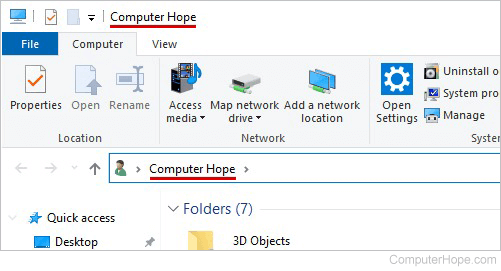
- File Explorer opens your user profile folder and displays its contents. The title bar of the window and your location bar both display your full login name.
Using %USERPROFILE% in Command Prompt
If you use the Windows Command Prompt, use the cd command with %USERPROFILE% to change the current directory to your profile folder.
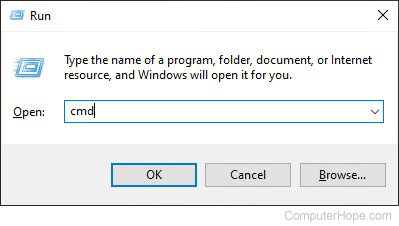
- Open the Command Prompt. For example, press Windows key+R to open the run box, then type cmd and press Enter.
- Your command prompt displays the current directory, followed by a >.

By default, when you open a new Command Prompt window, the current directory is your user profile folder.
- To change to your profile folder at any time, use the cd command.
cd %USERPROFILE%
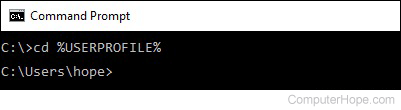
- Additionally, use the echo command to display the value of %USERPROFILE%.
echo %USERPROFILE%
To view your username, use echo %USERNAME%.
echo %USERNAME%
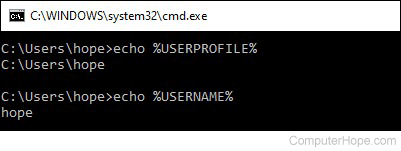
For more information about environment variables, see: What are the default environment variables in Windows?
Why do I need to open the profile folder?
Usually, you don't need to open your profile folder directly. The Quick Access shortcuts on the left side of the File Explorer window (Desktop, Documents, Downloads, Music, etc.) already point to the major folders in your profile directory.
As a general rule, do not rearrange the files and folders that already exist in your profile directory, because Windows expects them to have certain names and locations. For instance, do not move or rename your Desktop folder.
However, files and folders can be placed in your profile directory, if you choose.
Also, some tasks, such as adding items to your Startup folder, require you to know the location of your profile folder.