
How to find the type of computer network controller or adapter
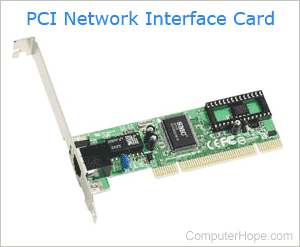
Desktop and laptop computers utilize a network controller to communicate with other devices and connect to an external modem or router to access the Internet. On modern computers, network controllers are built into the motherboard. However, some machines also use a NIC (network interface card) or a Wi-Fi adapter for connectivity.
Learning which type of network controller is part of or installed in a computer can be helpful. For instance, you may want to replace the device with something newer and more powerful. Whatever the reason, to learn which type of NIC is installed on your computer, follow the instructions in the sections below.
How to find the type of network adapter in Windows
Microsoft Windows users can determine their network adapter using Device Manager or System Information tools. We have steps for both below.
Using Device Manager
- Press the Windows key, type Device Manager, and press Enter.
- Click the down arrow next to Network adapters to expand the section.
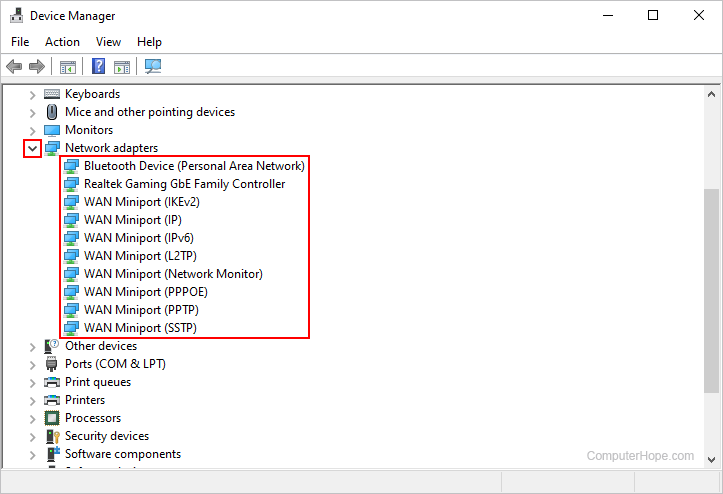
- While many devices may be listed, your network adapter or card is generally near the top. In our example image, it's Realtek Gaming GbE Family Controller.
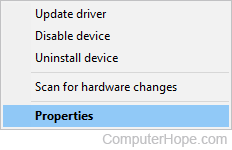
- Once you've located the device you're interested in, right-click it and select Properties from the drop-down menu.
- At the top of the window that opens, click the Details tab (A). Then, under Property, click the box and select the category that you want more info (B).
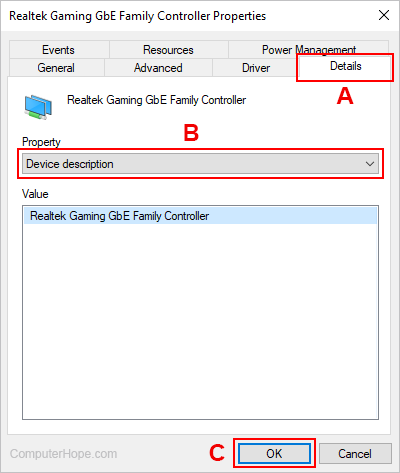
- When you're finished, click the
 button (C) or close the window.
Using the System Information tool
- Press the Windows key, type System Information, and press Enter.
- In the System Information window, look in the left navigation area under System Summary.
- Click the + symbol next to Components, + next to Network, and click Adapter.
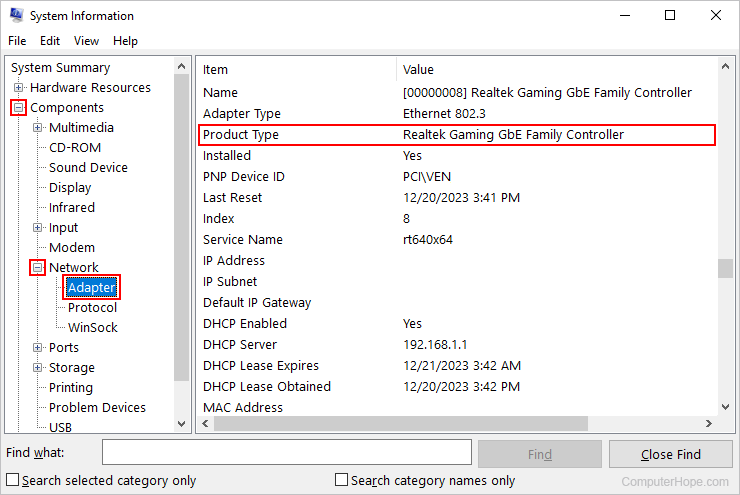
- The right side of the window displays complete information about all the installed network controllers on your computer. As this is a lot of information, you may have difficulty locating the appropriate device. If so, we recommend using the Device Manager method instead.
Microsoft may install a different, but compatible driver for some network cards. As a result, the network card listed may not be the exact manufacturer or model installed on your computer.
Alternative methods for determining the network controller type
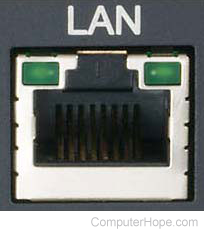
Another way to find the model number is to physically examine a computer or adapter, as this information is often printed on the device itself. Look at the back of the desktop or the side of a laptop to locate a LAN port. This RJ-45 LAN (local area network) port indicates that the computer has an Ethernet network card. While it may not be the only network-capable device on the computer, it at least has a wired connection.
Many of the new laptops no longer have a LAN port.
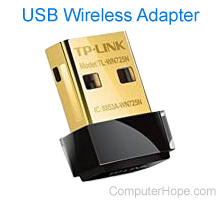
You should also try to locate devices built-in or that plugged into your computer. For example, the wireless adapter shown on the right is an external device that connects to a USB (universal serial bus) port. As shown in the image, it has the manufacturer "TP-LINK" and the model number "TL-WN725N" written on it. If you are using a network adapter that is installed internally (using a PCI or PCI Express slot), you may need to open the computer's case to view this information.
If you cannot locate the manufacturer or model number, but do see an FCC identification number, we recommend using it to perform an FCC search. For additional information about these numbers, see our FCC (Federal Communications Commission) definition page.
Product listing or specifications
If you are trying to list all the specific information about your computer's network adapter, noting the manufacturer, type, model, and speed is sufficient. Below is an example of how this may look.
PCI 3COM 3C905B 10/100 Ethernet
Drivers and installation
The links below are to pages containing information on how to install an aftermarket network card and where to download and install updated network drivers.
- How to install a computer network card.
- How to remove a computer expansion card.
- Computer network drivers.
Replacement or repair
If you're trying to determine the network card because it isn't working or needs to be replaced, see the tips on the following page.