
How to find what hardware is installed in the computer
Updated: 08/02/2020 by Computer Hope
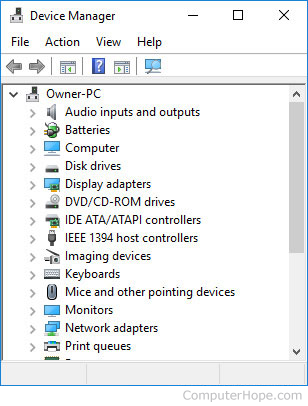
Below is a listing of different hardware devices in the computer and different methods of determining additional information about the hardware device. There are also several free programs mentioned in the following link that detect hardware and other system settings.
CD-ROM drive
- How to find which kind of disc drive I have.
- What is a CD-ROM?
- What is a CD-R?
- What is a CD-RW?
- What is a DVD?
- CD-ROM help and support.
- CD-R and CD-RW help and support.
- DVD help and support.
Controller
Floppy disk drive
- How to find the type of computer floppy drive.
- What is a floppy drive?
- Floppy drive help and support.
Hard drive
- How to find the hard drive type and specifications.
- How to find how much hard drive space is available.
- What is a hard drive?
- Hard drive help and support.
Memory (RAM)
- How to find how many memory slots are in a computer.
- How to find how much RAM is installed on a computer.
- What is memory?
- Memory (RAM) help and support.
Modem
Monitor
- How to find the type of monitor or display.
- What is a monitor?
- Monitor, LCD, and display help and support.
Motherboard
- How to find the type of computer motherboard.
- How to determine the PCI version.
- How to determine the AGP version.
- How to identify an unknown PCI card.
- How to find the computer motherboard chipset.
- What is a motherboard?
- Motherboard help and support.
- Computer bus help and support.
Network card aka Ethernet adapter
- How to find the type of computer network controller or adapter.
- What is a network card?
- Network and network card help and support.
Power Supply aka PSU
- How to find the size of a computer power supply.
- What is a power supply?
- Power supply help and support.