
Should I upgrade or buy a new computer?
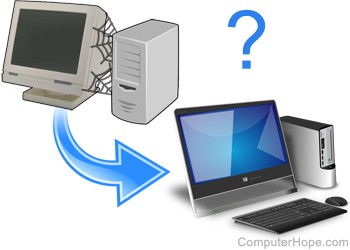
In the past, a new computer could cost as much as an inexpensive car. However, today the cost of a new computer has dramatically decreased and depending on your needs, you may or may not need to purchase a new computer. Below is a listing of different upgrade options and why you may or may not want to upgrade.
Memory upgrade
A memory upgrade can affect the overall performance of your computer. Increasing the computer's memory helps increase the speed of a computer, help with the load times, and is an affordable and easy upgrade.
If your computer could use a small performance boost and it has less than 4 GB of memory, it's a highly impactful upgrade.
Video card upgrade
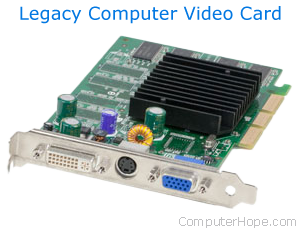
If you're playing computer games on your computer, an upgraded video card can be one of the best upgrades for your computer. With the new improvements and complexities of graphics in games, many older computers or computers with inefficient video cards can become slow.
Adding a new video card is often an easy to do upgrade and is cheaper than purchasing a new computer.
In some situations, you may need to upgrade the power supply in a computer when upgrading the video card.
New display
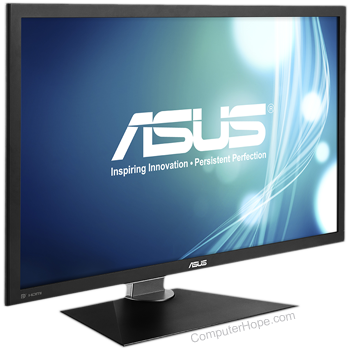
Although a new display doesn't improve the computer's performance, adding an LCD (liquid-crystal display) or flat-panel display or increasing the size of your display makes using the computer more enjoyable.
If your display is 17" or smaller, you're not using a flat-panel display, and you have the room, this upgrade is less expensive than purchasing a new computer. Also, if down the road you do purchase a new computer, you don't need to purchase a new display.
Hard drive upgrade
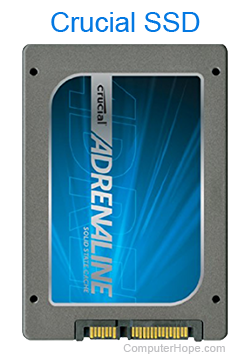
In the past, upgrading the hard drive was a popular upgrade. However, hard drives are becoming so large that most users never run out of disk space. If your computer is running out of hard drive space, or you're not happy with the performance, adding a new hard drive is a cheap and often simple upgrade.
If you feel your computer's performance is lacking, replacing a traditional hard drive with an SSD (solid-state drive) can dramatically increase your computer's load time and speed. If you are adding an SSD, we suggest it be made the primary drive and using the older hard drive to store files.
Disc drives
Adding a new disc drive (e.g., faster CD-R/CD-RW burner) is a good upgrade if the computer either has a slower drive or doesn't have a CD-ROM/CD-R/CD-RW/DVD.
If you burn many discs, a new burner can decrease the time it takes to create each disc. A faster drive can also help with the installation or load time of any CD (compact disc) or DVD (digital versatile disc) programs. Apart from these two examples, this upgrade is more of a new feature than a performance upgrade.
Broadband
Today, while the Internet is the premier activity on a computer, many users often don't look at their connection when considering upgrading. If you do not have a broadband Internet connection and it's available in your area, it's a very beneficial upgrade.
Users who already have broadband may also consider faster broadband solutions. For example, if you have DSL (digital subscriber line), you may want to consider changing to cable or faster solution.
Other upgrades
To upgrade your CPU (central processing unit), motherboard, sound card, modem, network card, we recommend first, you check the prices of new and used computers. Replacing the entire computer is often a more cost-efficient upgrade in the long run.