
Paste
Paste may refer to any of the following:
1. Paste is an operating system and programs action that lets you copy an object or text from one location and place it to another location. For example, you could copy a URL sent to you through chat, e-mail, or an IM (instant message), and paste that URL (uniform resource locator) in a web browser to visit the web page.
If the text, image, or other objects have not been correctly copied to the clipboard, it cannot be pasted.
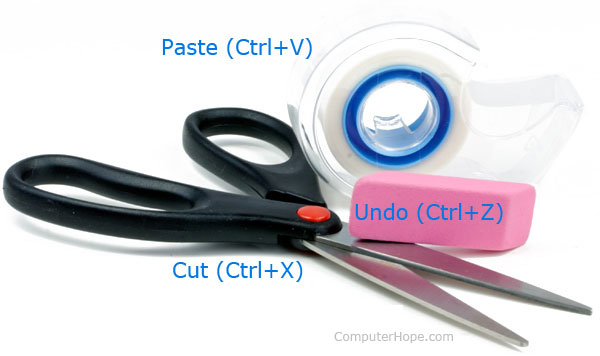
The picture above is an example of how paste can be applied to tape in the real world. Like a pair of scissors, you can cut text, images, files, and other objects and if you wanted to paste what you've cut, you could use tape.
What is the keyboard shortcut for paste?
Below is a listing of keyboard shortcuts and keyboard keys to use for pasting in different operating systems. Realize that when you use these shortcuts, the clipboard data is pasted where the text cursor is currently positioned. If the text cursor is not visible, nothing will happen because there's no where to paste.
- PC desktop and laptop = Ctrl+V or Shift+Insert
- Apple desktop and laptop = Command+V
- Google Chromebook = Ctrl+V
On many devices, you can also right-click where you want to paste and select Paste from the right-click menu.
On a Chromebook and other programs on the PC, the shortcut Ctrl+Shift+V to paste text as plain text.
Why is it possible to paste multiple times?
When anything is cut or copied, it moves into the clipboard and remains there until something else is cut or copied. By keeping what is cut or copied in the clipboard the computer can paste the same thing multiple times or as often as you want.
2. Linux command, see the paste command page for additional information.
Clipboard, Copy, Ctrl-V, Cut, Insert, Move, Pastebin, Paste special, Software terms, Word processor terms