
How to view, save, and remove browser passwords

Many Internet browsers allow users to save login information, such as a username and password, to simplify the login process for frequently-visited websites, like Facebook or Instagram. The following sections show you how to save, view, and remove login passwords. To proceed, select your browser from the list below and follow the instructions.
Chrome users

How to save a password
As with most browsers, Google Chrome automatically prompts you to save a password the first time you log in to an online account.
- Open the Google Chrome browser.
- Navigate to the site where you want to save a password, and enter your login information.
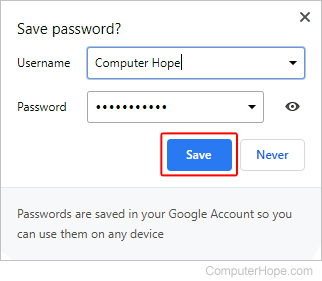
- At the prompt in the upper-right corner of the browser window, verify your account credentials and click the Save button.
How to view or remove a saved password
- Open the Google Chrome browser.
- Click the
 icon in the upper-right corner of the browser window.
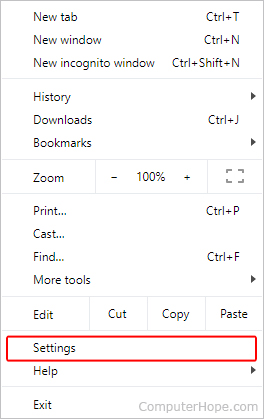
 - In the drop-down menu, select Settings.
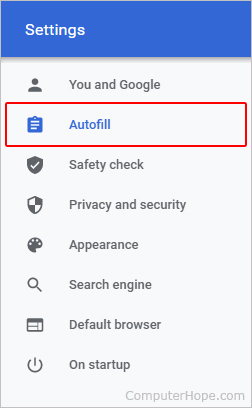
- On the left side of the screen, click the Autofill option.
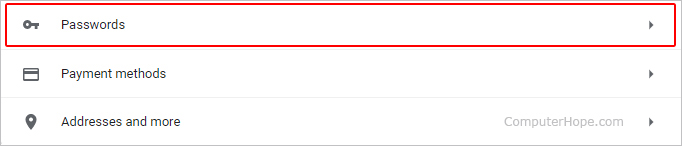
- In the middle of the screen, under the Autofill section, click the Passwords entry.
View a password
To view a password, click the  icon on the right side of the entry. If the password is not revealed right away, enter your Windows or Microsoft account password, then click the icon again.

Remove a password
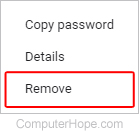
To remove a password, click the icon on the right side of the entry, and select Remove from the drop-down list.
Firefox users

How to save a password
As with most browsers, Mozilla Firefox automatically prompts you to save a password the first time you log in to an online account.
- Open the Mozilla Firefox browser.
- Navigate to the site where you want to save a password, and enter your login information.
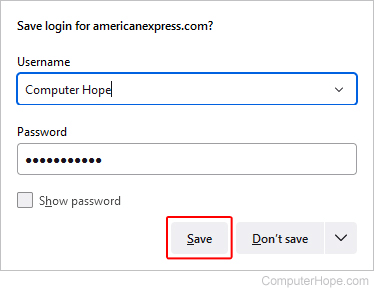
- You see a prompt appear in the top-left corner of the browser window. Verify your account credentials and click the Save button.
How to view or remove a saved password
- Open the Mozilla Firefox browser.
- Click the
 button in the top-right corner of the browser window.
 - In the drop-down menu, select Settings.
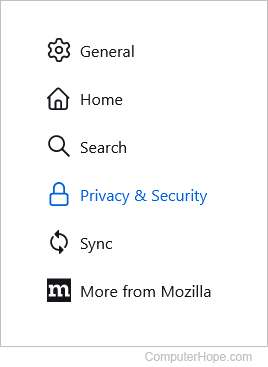
- On the left side of the screen, click the Privacy & Security selector.
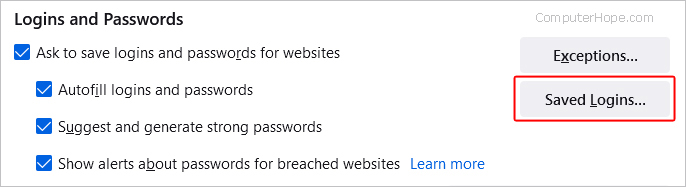
- Scroll down to the Logins and Passwords section and click on the Saved Logins button.
- In the Saved Logins window that opens, on the left, click the account with the password you want to view or remove.
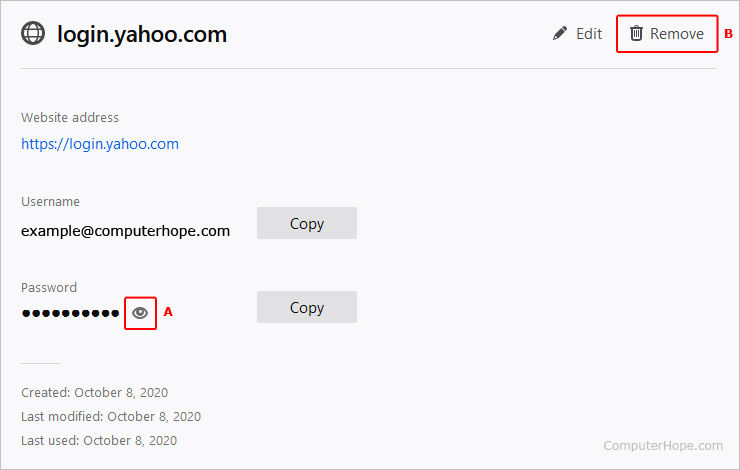
- In the middle section, you see information similar to the image below.
View a password
To view a password, click the  icon in the password section (A) for the account.
Remove a password
To remove a password, click the  icon at the top-right corner (B). Then, click the
  button in the prompt.
Microsoft Edge users

How to save a password
As with most browsers, Microsoft Edge automatically prompts you to save a password the first time you log in to an online account.
- Open the Microsoft Edge browser.
- Navigate to the site where you want to save a password, and enter your login information.
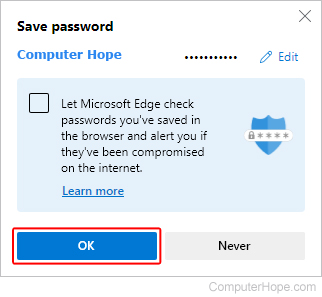
- You see a prompt appear in the top-left corner of the browser window. Verify your account credentials and click the Save button.
How to view or remove a saved password
- Open the Microsoft Edge browser.
- Click the Settings and more icon
 in the upper-right corner of the browser window.
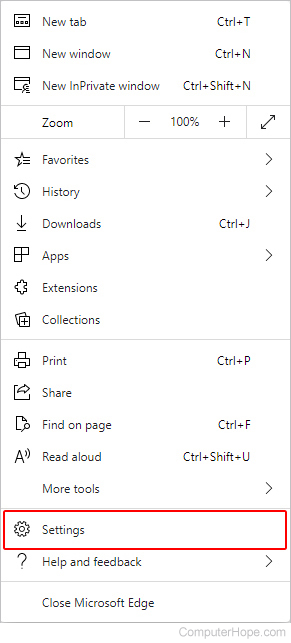
 - In the drop-down menu, near the bottom, select Settings.
- Under the Settings section on the left, click Profiles.
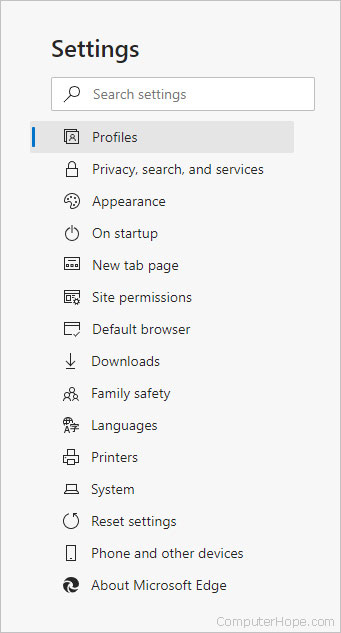
- Under the Your profile section in the middle of the screen, click Passwords.
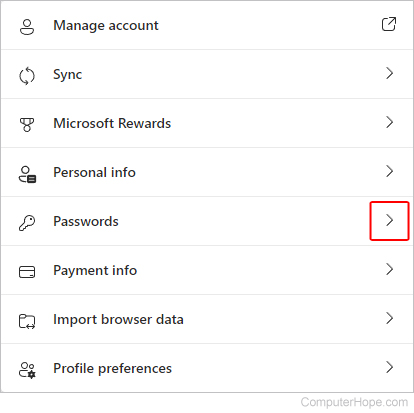
- In the middle section, locate the saved passwords section.
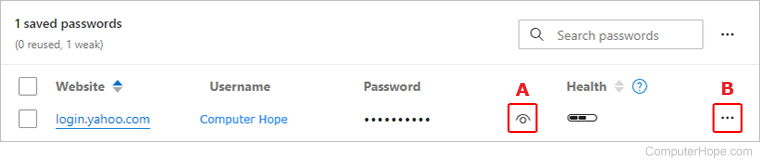
View a password
To view a password, click the  icon next to the account entry (A). You may be prompted to put in your computer's PIN (personal identification number) or password.
Remove a password
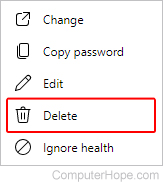
To remove a password, click the icon to the right of the password entry (B). Then, select Delete from the drop-down menu.
Microsoft Edge Legacy users

How to save a password
As with most browsers, Microsoft Edge Legacy automatically prompts you to save a password the first time you log in to an online account.
- Open the Microsoft Edge Legacy browser.
- Navigate to the site where you want to save a password, and enter your login information.
- You see a prompt appear at the bottom of the browser window; click the Save button.

How to view or remove a saved password
As Microsoft Edge Legacy is tied directly to Windows 10, you must use the Credentials Manager utility to remove saved passwords.
- Press the Windows key, type Credential Manager, and press Enter. If you don't have a search bar, open the Start menu, and choose Windows System -> Control Panel -> User Accounts -> Credential Manager.
- Click Web Credentials under Manage your credentials.
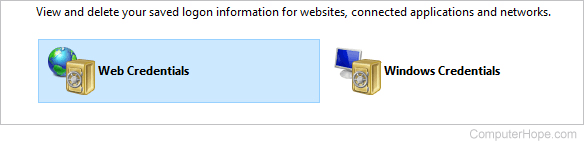
- Locate the account whose password you want to view or remove and click
 to expand the entry.
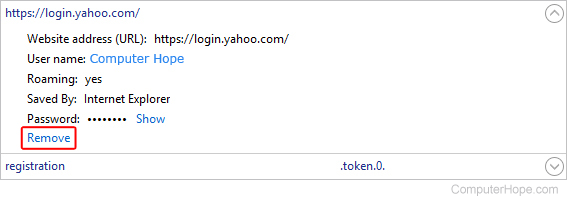
 - To view the password, click the Show link next to the Password entry. When prompted, enter your Windows or Microsoft account password.
To remove the password, click the Remove link below the Password entry.
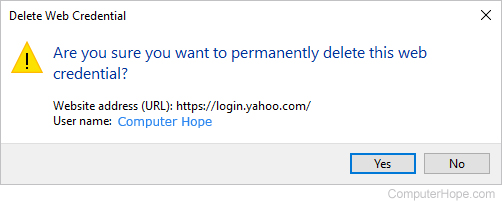
- Click the Yes button in the prompt.
Internet Explorer users

How to save a password
As with most browsers, Internet Explorer automatically prompts you to save a password the first time you log in to an online account.
- Open the Internet Explorer browser.
- Navigate to the site where you want to save a password, and enter your login information.
- You see a prompt appear at the bottom of the browser window; click the Yes button.

How to view or remove a saved password
In Windows 8 and Windows 10, Internet Explorer is tied directly to the operating system, so you must use the Credentials Manager utility to remove saved passwords.
In Windows 7 and earlier, web passwords are stored in the Windows registry and encrypted. Viewing and removing a password requires using a third-party program, like IE PassView.
- Press the Windows key, type Credential Manager, and press Enter.
- Click Web Credentials under Manage your credentials.
- Locate the account whose password you want to remove, and click to expand the entry.
- To view the password, click the Show link next to the Password entry. When prompted, enter your Windows or Microsoft account password.
To remove the password, click the Remove link below the Password entry.
- Click the Yes button in the prompt.
Opera users

How to save a password
As with most browsers, Opera automatically prompts you to save a password the first time you log in to an online account.
- Open the Opera browser.
- Navigate to the site where you want to save a password, and enter your login information.
- You see a prompt that spans the top of the browser window; click the Save button.

How to view or remove a password
- Open the Opera browser.
- Click the menu button
 in the top-left corner.
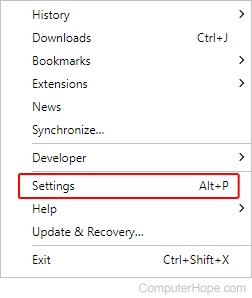
 - Select Settings from the drop-down menu.
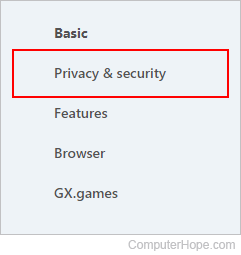
- On the left side of the tab that appears, click Privacy & security.
- Scroll down to the Autofill section and click Passwords.
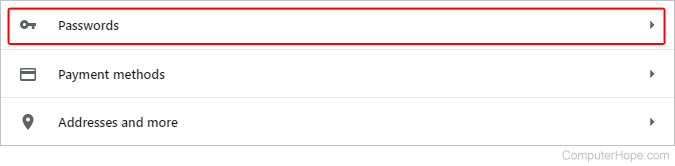
- Locate the account whose password you want to view or remove. Each of the entries should look similar to the image below.

View a password
To view a password, on the right side of the entry, click the icon. If the password is not revealed right away, enter your Windows or Microsoft account password, then click the icon again.
Remove a password
To remove a password, on the right side of the entry, click the icon and select Remove from the drop-down list.
Safari users
How to save a password
As with most browsers, Safari automatically prompts you to save a password the first time you log in to an online account.
- Select Safari from the dock.
- Navigate to the site where you want to save a password, and enter your login information.
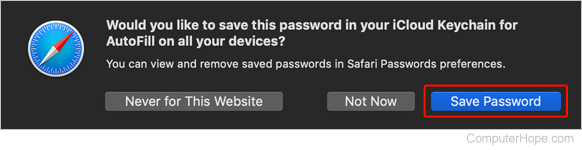
- You see a prompt appear in the top-left corner of the browser window; click the Save Password button.
How to view or remove a saved password
- Select Safari from the dock.
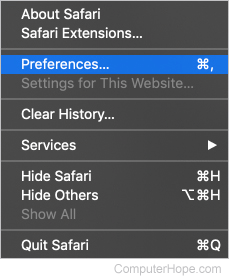
- In the top-left corner of the browser window, next to the Apple icon, click Safari.
- Select Preferences from the drop-down menu.
- Click the Passwords tab (A) and enter your Mac's password (B).
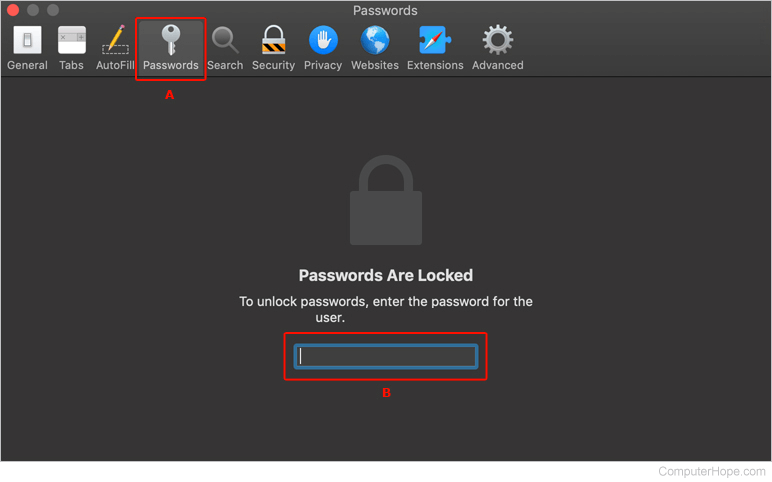
- In the next window, select an account to view its password. You can remove a saved password by clicking the
 button in the window's bottom-right corner.