
Password
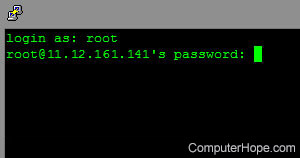
Sometimes abbreviated as PW and PWD, a password is a set of secret characters or words to authenticate access to and secure a digital system. Adding passwords helps ensure that computers or data can only be accessed by those granted the right to view or access them.
What is considered a strong password?
A strong password is an effective password that would be difficult to break. The criteria for a suitable password are ten or more uppercase and lowercase characters (the longer, the better). It also may include some special characters, like an exclamation mark (!), dollar sign ($), or percent symbol (%). Below is an example of a strong password containing uppercase and lowercase characters and several special characters.
MyS3cr3T!P@s$word
By contrast, a weak password is trivial to guess or brute force. Names, birth dates, phone numbers, and easily guessable words are weak passwords. Below is an example of a weak password, an easy-to-guess password that would leave your account vulnerable to being hacked.
secret
Do I need to add a password?
Not all computers, programs, and services require a password. If you're not concerned about security and are given the option not to have a password, it isn't required. If you're not given an option to not have a password, leave the password blank.
Why is it important to use a different password on every website?
If a website you visit gets hacked, and the password used is also used on other sites, the hacker can easily access the other accounts. Therefore, having different passwords for all sites you visit makes it less likely that multiple accounts will be compromised.
How often should I change my password?
When to change a password depends on the type of account the password is associated with. For example, a password for a user account on your computer is usually changed less often than one for an online account.
User account on a computer
For a user account on your computer, like a Windows or macOS user account, you don't need to change the password that often. If multiple users have accounts on the same computer, consider changing your account's password once every three to six months. If you are the only computer user, you can change it once a year or never if you desire.
If your computer was hacked at some point, or you are concerned about your computer being hacked, consider changing your password more frequently.
User accounts associated with a business may be required to change passwords every 30 to 90 days for improved security. If your password is due for a change, you are usually prompted to change the password.
Online user account

Online accounts are more often the target of hackers, especially those related to financial institutions, social media, or online stores. Consider consider changing your password every 60 to 90 days to protect those user accounts. For improved security, you may consider changing your password every 30 days.
For website accounts with limited or no personal information stored or is not associated with financial transactions, consider changing your password at least every 6 to 12 months.
How do you remember all of your passwords?
To safely remember and store your computer passwords, use a password manager. Do not write your password on a sticky note or tape notes to your monitor.
What are the most common passwords?
According to CyberNews, which analyzed 15,212,645,925 passwords, the following passwords are the top 10 most common passwords in 2021.
- 123456
- 123456789
- qwerty
- password
- 12345
- qwerty123
- 1q2w3e
- 12345678
- 111111
- 1234567890
If you're using any of the above passwords, we highly recommend using a more secure password.
Who invented passwords?
Fernando Corbató is considered the father of the password after conceiving and applying the concept of a password to his CTSS (Compatible Time-Sharing System).
What is passwordless?
The term passwordless describes any system that is accessed without a password. For example, a biometric authentication like a fingerprint reader is a good example of a passwordless authentication.
Authorize, Biometrics, Computer abbreviations, Credential, Default password, Login, OTP, Passcode, Passphrase, Passwd, Password generator, Password manager, Password protect, Picture password, PIN, PW, Reset password, Security terms, Username