
How to determine the IP address of a computer or website
This page discusses the best ways to find the IP address of an external computer or website. To find the IP address of the computer, see: How to find my IP address.
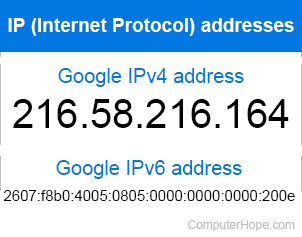
If you know the domain name, URL (uniform resource locator), network name of a website or networked computer, and you want to find its IP address, perform a DNS (domain name system) lookup. There are a few ways to do this, which we cover below.
Ping
The ping command sends an ICMP (Internet Control Message Protocol) packet to a networked computer. If you try to ping a hostname, the ping program performs a DNS request to discover the host's IP address. The IP address is displayed in the command output.
On all modern operating systems, you can open a command line interface and run the command:
ping hostname
Where hostname is the name of the computer. For instance, let's say you want to find the IP address of computerhope.com. If you are using Microsoft Windows, open the command prompt and run:
ping computerhope.com
You will see something similar to the following:
Pinging computerhope.com [104.20.56.118] with 32 bytes of data:
Reply from 104.20.56.118: bytes=32 time=19ms TTL=57
Reply from 104.20.56.118: bytes=32 time=19ms TTL=57
Reply from 104.20.56.118: bytes=32 time=19ms TTL=57
Reply from 104.20.56.118: bytes=32 time=19ms TTL=57
Ping statistics for 104.20.56.118:
    Packets: Sent = 4, Received = 4, Lost = 0 (0% loss),
Approximate round trip times in milli-seconds:
    Minimum = 19ms, Maximum = 19ms, Average = 19ms
The pings were sent to 104.20.56.118, an IP address of computerhope.com.
However, this information is not complete — it shows one IP address for the host, but there may be others. Also, ping doesn't always succeed. Many websites and computers will completely ignore a ping request.
To perform a direct DNS query, and receive more complete information, use one of the other three methods.
- Windows/DOS ping command guide.
- Linux ping command overview.
Nslookup
The nslookup command gets DNS information about a host, including its IP addresses. For example, from the Windows command prompt, run:
nslookup computerhope.com
Output:
Server:  your.gateway.name
Address:  your.gateway.address
Non-authoritative answer:
Name:    computerhope.com
Addresses:  2400:cb00:2048:1::6814:3876
            2400:cb00:2048:1::6814:3276
            104.20.50.118 104.20.56.118
Nslookup performs the DNS lookup, but unlike ping, it does not send any data to the host. There are two IPv4 addresses, 104.20.50.118 and 104.20.56.118, listed at the bottom. Both are valid IP addresses for that hostname, used in round-robin distribution.
The response is non-authoritative, which means you're getting the information from a domain name server not owned by the host.
The nslookup command works on most operating systems, including Microsoft Windows. However, it is an older program, and is no longer actively developed. It is deprecated by the organization that developed it, the Internet Systems Consortium. Instead, they recommend using the newer tools dig and host, discussed below.
- Windows/DOS nslookup command overview.
- Linux nslookup command overview.
Dig
Dig, the "domain information groper," performs a DNS lookup if you give it a hostname:
dig computerhope.com
; <<>> DiG 9.11.0 <<>> computerhope.com
;; global options: +cmd
;; Got answer:
;; ->>HEADER<<- opcode: QUERY, status: NOERROR, id: 29332
;; flags: qr rd ra; QUERY: 1, ANSWER: 2, AUTHORITY: 0, ADDITIONAL: 1
;; OPT PSEUDOSECTION:
; EDNS: version: 0, flags:; udp: 4096
;; QUESTION SECTION:
;computerhope.com.              IN      A
;; ANSWER SECTION:
computerhope.com.       299     IN      A       104.20.50.118
computerhope.com.       299     IN      A       104.20.56.118
;; Query time: 46 msec
;; SERVER: 192.168.1.1#53(192.168.1.1)
;; WHEN: Sun Jul 23 22:28:17 Eastern Daylight Time 2017
;; MSG SIZE  rcvd: 77
Dig comes pre-installed on macOS X and Linux operating systems. On Microsoft Windows, you can download it for free, as part of the ISC's (Internet Systems Consortium) BIND (Berkeley Internet Name Domain) utilities.
Installing BIND on Microsoft Windows
- In a web browser, go to https://www.isc.org/downloads.
- Scroll to the "BIND" drop-down menu, and expand it.
- Look for the "Current-Stable" version. Click the Download button for that version.
- In the dialog that appears, click the button corresponding to your type of computer. For instance, for 64-bit computers running Windows, click the button for win 64-bit.
- Extract the zip archive.
- In the extracted folder, right-click BINDInstall.exe, and choose Run as administrator. At the UAC (User Account Control) prompt, choose Yes.
- In the installer options, make sure Tools Only is checked.
- Choose a Target directory for the installation, and click Install. If you receive a message about "Visual C++ Redistributable - Modify Setup," click Close, then Yes.
The BIND utilities are now installed, including dig.
As a last step, add the BIND binary directory to your PATH environment variable, so you can run dig from any directory. Modify your system's PATH environment variable to include the path to the BIND binaries. If you installed to C:\Program Files\ISC BIND 9\, add C:\Program Files\ISC BIND 9\bin\ to your PATH. Don't forget the bin at the end of the path name.
- How to set the path and environment variables in Windows.
- Linux dig command overview (also applies to Windows).
Host
The host command is part of ISC BIND. It's similar to dig, but it displays simpler information.
Host comes pre-installed on macOS X and Linux. On Windows, you can install as part of the BIND utilities, as described above.
Example:
host computerhope.com
computerhope.com has address 104.20.50.118
computerhope.com has address 104.20.56.118
computerhope.com has IPv6 address 2400:cb00:2048:1::6814:3276
computerhope.com has IPv6 address 2400:cb00:2048:1::6814:3876
computerhope.com mail is handled by 10 mail.computerhope.com.
- Linux host command overview (also applies to Windows).