
Click
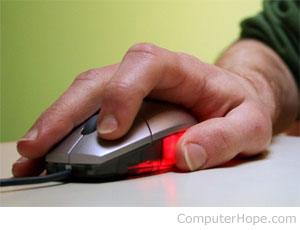
Click describes pressing a mouse button (usually the left mouse button, if the mouse has two buttons) one or more times. When clicking, its action depends on the computer and program you're using.
A laptop touchpad has two buttons that act like the two buttons on a desktop computer mouse.
Below are the general ways to click a computer mouse and their actions. These actions can vary by program.
Types of mouse clicks and mouse click options
Single-click
Pressing and releasing the mouse button to select a button, icon, file menu, or object. For example, when you single-click a hyperlink in a browser, that link is opened. With a mouse with two or more buttons, the single-click defaults to the left mouse button, also known as left-clicking.
For right-handed users, the left click is done with the index finger on the right hand.
Double-click
Pressing the default mouse button twice quickly opens or executes a program or opens a file. For example, in Microsoft Windows and most other operating systems, double-clicking a program icon opens (executes) that program. If you have an icon for a web browser on your desktop, you would have double-clicked that icon to open the browser.
Not all areas of Windows and other operating systems require a double-click to open a program. For example, icons in the Windows Taskbar only require a single click. If you're unsure if a single or double-click is required, try a single click first; if the object remains highlighted and doesn't open, try double-clicking.
When dealing with text, double-clicking text selects the entire word clicked.
See our double-click page for further information about double-clicking and examples of double-clicking text.
Click-and-drag
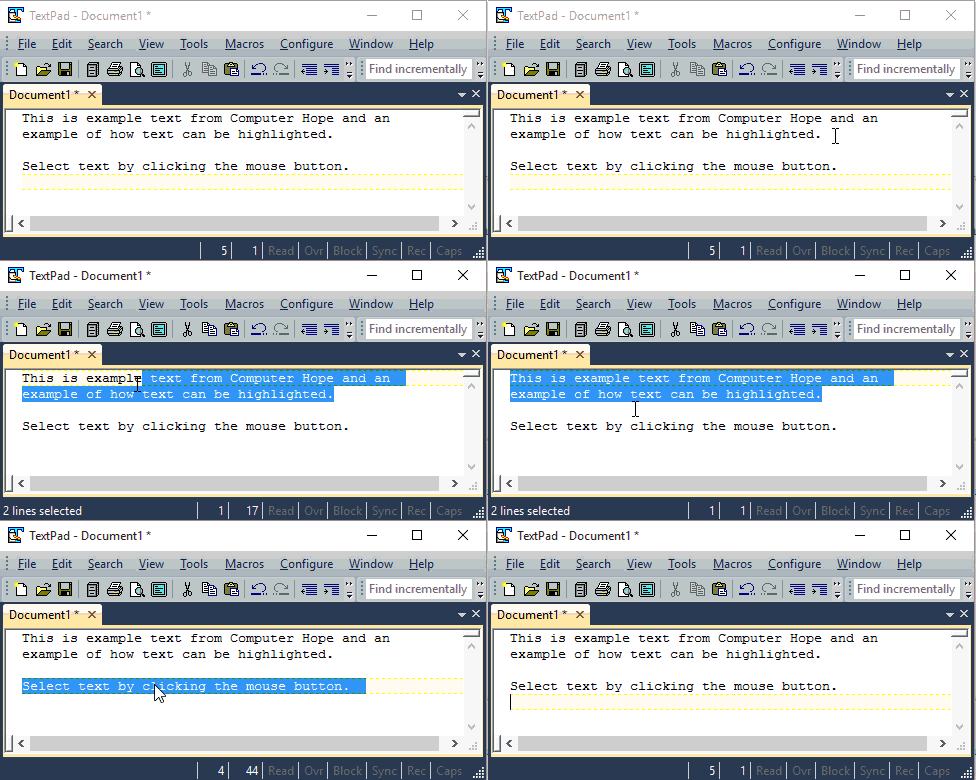
Clicking, holding down the mouse button, and moving the mouse) is used to highlight or drag-select text or objects. For example, in the animated image below, we're clicking and dragging the mouse cursor to highlight all text in the first sentence.
Triple-click
Pressing the button three times quickly selects a paragraph of text, as shown in the animated picture above.
Tripple-clicking in the top-left portion of the document area when the mouse is a pointer highlights the entire document. However, this tip doesn't work if you're clicking in the header.
Right-click
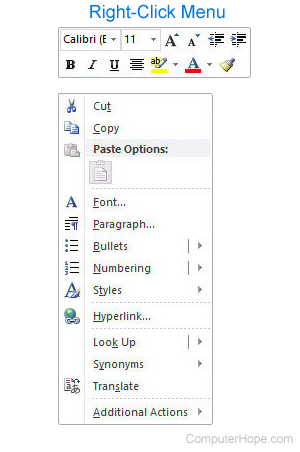
Pressing the alternate mouse button, which is often the right mouse button, to perform a special action. For example, right-clicking the mouse button in Microsoft Windows brings up the right-click menu with additional options for whatever was clicked. In Microsoft Word, right-clicking in the word processor would give you opens like the ability to cut and copy text.
For right-handed users, the right-click is done with the middle finger on the right hand.
Middle-click
Pressing the middle button on a three-button mouse or using the mouse wheel as a button performs a pre-programmed option. This option may be configured in your operating system mouse settings or sometimes in the program. For example, in most Internet browsers, using the mouse wheel as a button on a link opens that link in a new tab.
Ctrl-click
The function of Ctrl+click varies on where and how it's being used. It can select multiple files or objects, open links in a new tab, and open hyperlinks. See our Ctrl+click for further information, instructions, and examples.
Shift-click
Doing a single click, holding down Shift, and single clicking again somewhere else on the text highlights all text, icons, or another set of objects between the two clicks. See our Shift-click page for further information, instructions, and interactive examples.
Thumb click
Many new desktop mice also have buttons for the thumb that can be programmed to perform different actions. One of these buttons is often programmed to go back in a browser.
Which finger should I use to click?
The index finger on the right hand is used for a selective click. However, left-handed people may reverse the mouse buttons to make the middle finger the click finger.
Practice clicking
Use the following text box to practice clicking.
For further assistance with using a mouse, visit the following link.
How to click without a mouse
Using a keyboard, you can perform the same action as a click by pressing the spacebar or Enter on the keyboard. For example, pressing Tab repeatedly lets you navigate through the links on this page, and pressing Enter opens the highlighted link.
If you need to right-click with a keyboard, see our right-click page for further information and examples.
Why won't my mouse click?
This issue usually arises when the mouse needs a driver update, new batteries, or is faulty.
- How to install and update a computer driver.
- Mouse and touchpad help and support.
- Mouse is not detected or working in Windows.
How do I click on a smartphone or tablet?
A smartphone, tablet, or device that uses a touch screen does not use a mouse and therefore cannot "click." However, most actions that tell you to "click" are the same as a "tap." For example, you could click or tap any of the links on this page to open them.
Click fraud, Double-click, Drag, Drag-and-drop, Drag-select, Hover, Mouse, Mouse button, Mouse terms, Right-click