
Microsoft Excel keyboard shortcuts
Updated: 05/01/2023 by Computer Hope
Below is a listing of most major shortcut keys and key combinations usable in Microsoft Excel. See the computer shortcuts page if you are looking for shortcut keys used in other programs.
Tip
To search for a specific item, modifier, or function, press Ctrl+F on your keyboard, type in keywords, and then click the up and down arrows.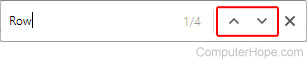
Note
Some Microsoft Excel shortcut keys below may not work in Excel 365.
| Shortcut | Description |
|---|---|
| Tab | Move to the next cell, to the right of the currently selected cell. |
| Ctrl+A | Select all contents of a worksheet. |
| Ctrl+B | Bold all cells in the highlighted section. |
| Ctrl+C | Copy all cells in the highlighted section. |
| Ctrl+D | Fill down. Fills the cell beneath with the contents of the selected cell. To fill more than one cell, select the source cell and press Ctrl+Shift+↓ to select multiple cells. Then press Ctrl+D to fill them with the contents of the original cell. |
| Ctrl+F | Search current sheet. |
| Ctrl+G | Go to a certain area. |
| Ctrl+H | Find and replace. |
| Ctrl+I | Puts italics on all cells in the highlighted section. |
| Ctrl+K | Inserts a hyperlink. |
| Ctrl+L | Opens the Create Table dialog box. |
| Ctrl+N | Creates a new workbook. |
| Ctrl+O | Opens a workbook. |
| Ctrl+P | Print the current sheet. |
| Ctrl+R | Fill right. Fills the cell to the right with the contents of the selected cell. To fill more than one cell, select the source cell and press Ctrl+Shift+→ to select multiple cells. Then press Ctrl+R to fill them with the contents of the original cell. |
| Ctrl+S | Saves the open worksheet. |
| Ctrl+T | Open the Create Table dialog box. |
| Ctrl+U | Underlines all cells in the highlighted section. |
| Ctrl+V | Pastes everything copied onto the clipboard. |
| Ctrl+Alt+V | Open the Paste Special window. |
| Ctrl+W | Closes the current workbook. |
| Ctrl+X | Cuts all cells in the highlighted section. |
| Ctrl+Y | Repeats the last entry (redo). |
| Ctrl+Z | Undo the last action. |
| Ctrl+1 | Changes the format of the selected cells. |
| Ctrl+2 | Bolds all cells in the highlighted section. |
| Ctrl+3 | Puts italics all cells in the highlighted section. |
| Ctrl+4 | Underlines all cells in highlighted section. |
| Ctrl+5 | Puts a strikethrough all cells in the highlighted section. |
| Ctrl+6 | Shows or hides objects. |
| Ctrl+7 | Shows or hides the toolbar. |
| Ctrl+8 | Toggles the outline symbols. |
| Ctrl+9 | Hides rows. |
| Ctrl+0 | Hides columns. |
| Ctrl+Shift+: | Enters the current time. |
| Ctrl+; | Enters the current date. |
| Ctrl+` | Changes between displaying cell values or formulas in the worksheet. |
| Ctrl+' | Copies a formula from the cell above. |
| Ctrl+Shift+" | Copies value from cell above. |
| Ctrl+- | Deletes the selected column or row. |
| Ctrl+Alt+5 | Cycle through the spreadsheets objects. |
| Ctrl+Shift+~ | Switches the number format to the general format. The general format is a number without commas, currency, percentage, symbols, etc. |
| Ctrl+Shift+! | Applies comma formatting. |
| Ctrl+Shift+@ | Applies time formatting. |
| Ctrl+Shift+# | Applies date formatting. |
| Ctrl+Shift+$ | Applies currency formatting. |
| Ctrl+Shift+% | Applies percentage formatting. |
| Ctrl+Shift+^ | Applies exponential formatting. |
| Ctrl+Shift+& | Places border around selected cells. |
| Ctrl+Shift+* | Selects the current region around the active cell. |
| Ctrl+Shift+( | Unhide rows. |
| Ctrl+Shift+) | Unhide columns. |
| Ctrl+Shift+_ | Removes a border. |
| Ctrl+Shift++ | Show Insert window to insert cell, row, or column. |
| Ctrl+- | Show Delete window to delete cells, rows or column. |
| Ctrl+/ | Selects the array containing the active cell in a multi-cell array formula. |
| Ctrl+\ | Selects the cells with a static value or don't match the formula in the active cell. |
| Ctrl+[ | Selects all cells referenced by formula in active cell. |
| Ctrl+] | Selects cells that contain formulas that reference the active cell. |
| Ctrl+Shift+{ | Selects all cells directly or indirectly referenced by formulas in the highlighted section. |
| Ctrl+Shift+} | Selects cells which contain formulas that directly or indirectly reference the active cell. |
| Ctrl+Shift+| | Selects the cells within a column that don't match the formula or static value in the active cell. |
| Ctrl+Enter | Fills the selected cells with the current entry. |
| Ctrl+spacebar | Selects the entire column. |
| Ctrl+Shift+Spacebar | Selects the entire worksheet. |
| Ctrl+Home | Move to cell A1. |
| Ctrl+Del | While in the Excel formula bar, deletes all text to the right of the cursor. |
| Ctrl+End | Move to last cell with text on the worksheet. |
| Ctrl+Tab | Switches between open workbooks (left to right) if you have more than one workbook open. Doing Ctrl+Shift+Tab reverses the direction (right to left). |
| Ctrl+PgDn | Switch to the worksheet to the right of the current worksheet (if available). |
| Ctrl+PgUp | Switch to the worksheet to the left of the current worksheet (if available). |
| Ctrl+↓ | Move to the bottom or last entry in the data set. |
| Ctrl+↑ | Move to the top or first entry in the data set. |
| Ctrl+← | Move to the farthest left of last entry in the data set. |
| Ctrl+→ | Move to the farthest right of last entry in the data set. |
| Ctrl+Shift+A | Inserts argument names into a formula. |
| Ctrl+Shift+F | Opens Format Cells window for font settings. |
| Ctrl+Shift+O | Selects all of the cells that contain notes. |
| Ctrl+Shift+P | Opens the Format Cells window with the Font tab selected. |
| Shift+Insert | Pastes what is stored on the clipboard. |
| Shift+PgUp | Highlights all cells above active cells or a page worth of cells above current position. |
| Shift+PgDn | Highlights a page length of cells below active cells. |
| Shift+Home | Highlights all text to the left of the cursor. |
| Shift+End | Highlights all text to the right of the cursor. |
| Shift+↑ | Extends highlight area up one row from current active cell. |
| Shift+↓ | Extends the highlighted area down one cell. |
| Shift+← | Extends the highlighted area left one character. |
| Shift+→ | Extends the highlighted area right one character. |
| Alt+Tab | Cycles through applications. |
| Alt+Spacebar | Opens the system menu. |
| Alt+Backspace | Undo. |
| Alt+Enter | While typing text in a cell, pressing Alt+Enter moves to the next line, allowing for multiple lines of text in one cell. |
| Alt+= | Creates a formula to sum all of the above cells. |
| Alt+' | Opens the Style window. |
| F1 | Opens the help menu. |
| F2 | Edits the selected cell. |
| F3 | After a name is created, F3 pastes names. |
| F4 | Repeats last action. For example, if you changed the color of text in another cell, pressing F4 changes the text in cell to the same color. |
| F5 | Goes to a specific cell. For example, C6. |
| F6 | Move to the next pane. |
| F7 | Spell check selected text or document. |
| F8 | Enters Extend Mode. |
| F9 | Recalculates every workbook. |
| F10 | Activates the menu bar. |
| F11 | Creates a chart from selected data. |
| F12 | Save As option. |
| Shift+F1 | Opens the "What's This?" window in early versions of Excel. |
| Shift+F2 | Allows the user to create or edit a cell comment. |
| Shift+F3 | Opens the Excel function window. |
| Shift+F5 | Brings up a find and replace window. |
| Shift+F6 | Move to previous pane. |
| Shift+F8 | Add to selection and allow multiple cells to be easily selected. |
| Shift+F9 | Performs calculate function on active sheet. |
| Ctrl+F3 | Open Excel Name Manager. |
| Ctrl+F4 | Closes current window. |
| Ctrl+F5 | Restores window size. |
| Ctrl+F6 | Next workbook. |
| Ctrl+Shift+F6 | Previous workbook. |
| Ctrl+F7 | Moves the Excel window. |
| Ctrl+F8 | Resizes the Excel window. |
| Ctrl+F9 | Minimize current Excel window. |
| Ctrl+F10 | Opens search for menus or maximize currently selected window, depending on version of Excel. |
| Ctrl+F11 | Inserts a macro sheet. |
| Ctrl+F12 | Opens a file. |
| Ctrl+Shift+F3 | Creates names using those of either row or column labels. |
| Ctrl+Shift+F6 | Moves to the previous worksheet window. |
| Ctrl+Shift+F12 | Prints the current worksheet. |
| Alt+F1 | Inserts a chart. |
| Alt+F2 | Save As option. |
| Alt+F4 | Exits Excel. |
| Alt+F8 | Opens the macro dialog box. |
| Alt+F11 | Opens the Visual Basic editor. |
| Alt+Shift+F1 | Creates a new worksheet. |
| Alt+Shift+F2 | Saves the current worksheet. |