
Keyboard help and support
Updated: 10/18/2022 by Computer Hope
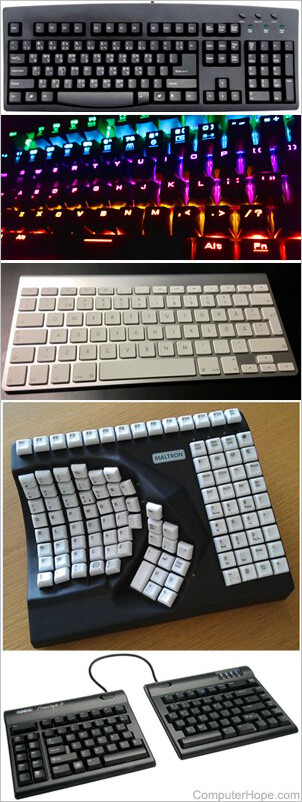
Keyboard basics
- What is a keyboard?
- Full list of keyboard terms.
- How to use a computer keyboard.
- How many keys are on a computer keyboard?
- Description of each of the keys and symbols found on the keyboard.
- What are the F1 through F12 keys?
- Where do I find keyboard shortcuts?
- Help with cleaning a keyboard and other computer hardware.
- Keyboard and other input devices buying tips.
- Contact information for keyboard and input device manufacturers.
- When was the first keyboard invented?
Top keyboard questions and answers
- How to connect and install a computer keyboard.
- Where should fingers be placed on the keyboard?
- How to improve your typing.
- How to test how many words a minute you can type.
- Some keys on my computer keyboard aren't working.
- Why don't any keys on my keyboard work?
- Drink or liquid substance spilled into keyboard.
- How to move the mouse cursor with the keyboard in Windows.
Keyboard connection related help
- USB help and support.
- PS/2 help and information.
- Serial port help and information.
- AT / Din5 help and information.
All other keyboard questions and answers
- How to disable or enable the Num Lock key at startup.
- Why are there bumps on the F and J keyboard keys?
- Why do I get a keyboard error at boot screen?
- How to change between lowercase and uppercase.
- How to disable or change keys on my keyboard.
- How to turn off or disable a laptop keyboard.
- How to toggle Scroll Lock, Num Lock, and Caps Lock.
- How to change the default behavior of the function keys.
- How to disable or change the keyboard Windows key.
- What keyboard key can you press to print?
- When booting the computer, I receive several beeps.
- How to remove the keys on a keyboard.
- How to remove or replace a laptop keyboard.
- How to remove and replace a laptop key or keycap.
- How to fix a broken laptop key or put it back on.
- How to access and change computer keyboard settings.
- Why are keys on my computer keyboard repeating?
- Where can I find a replacement for a keyboard key?
- How to record keys typed into a computer.
- How to switch to the Dvorak computer keyboard layout.
- What is the difference between the del and Backspace keys?
- Can you clean a computer keyboard in a dishwasher?
- Differences between the keyboard right and left Shift key.
- How to test what key on a keyboard is being pressed.
- How to connect a PS/2 mouse and keyboard to a laptop.
- How to fix A20 error.
- How to change keyboard languages and layouts.
- How to disable the power, sleep, or wake buttons in Windows.
- USB not working or detected in Safe Mode or MS-DOS.
- How to type emojis on a computer.