
How to copy information from one computer to another
Below is a listing of all the different ways to copy information from one computer to another computer. Review each of the below solutions to decide what works best for you.
When copying information, only copy the data files. For example, do not copy the Microsoft Word program. Only copy Microsoft Word documents and then install Microsoft Word on the new computer.
Microsoft Windows users can find most of their data files, pictures, and documents in the Documents or My Documents folder.
Network
If you have a network or plan on setting up a network, consider transferring and sharing files between computers on the local area network. A network is the fastest means of transferring files between your computers, and once set up, it lets you continue to share files.
Over the cloud
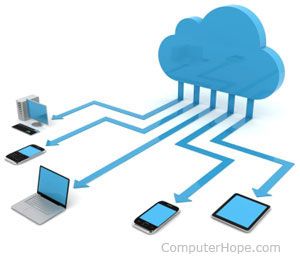
Online cloud services make it easy to move and share data between multiple computers and other devices. Our favorite online cloud services are Google Drive and Dropbox. Once in the cloud, any device with Internet access can access the data.
USB
USB ports and devices (e.g., thumb drive), are a fast and easy way to transfer files from one computer to another using one of the below methods.
Method one
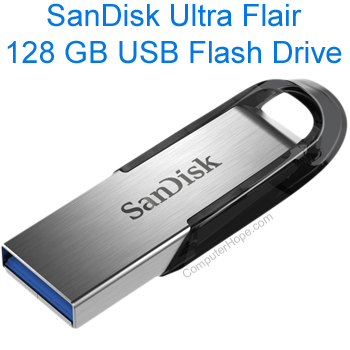
USB hard drives and USB thumb drives are an easy way to transfer data between computers and a good backup solution. Once information is copied to the device, it can be copied from the drive to another computer.
Method two
A USB to USB connector lets you transfer information from one computer to another computer over a USB cable. This solution is sometimes easier to set up than a standard Ethernet network and allows an unlimited amount of data to be shared. If both computers are Windows-based, use the built-in Windows Easy Transfer program to perform the data transfer (called Files and Settings Transfer Wizard in Windows XP). You need an Easy Transfer USB cable for this process to work effectively.
USB to USB connectors are available online and at some major computer retail stores.
Internet and e-mail

Today, many online services allow you to move and copy files from one computer to another computer. Alternatively, if you have only a few files you want to copy, you may want to consider sending the files through e-mail.
Many e-mail providers limit the size of a file that can be attached and sent through e-mail. Check with your e-mail provider to determine the maximum file size attachment allowed in your e-mail messages.
CD and DVD
If you do not have any USB drives, burning your information to a CD (compact disc) or DVD (digital versatile disc) is another good solution.
Floppy diskette
For older computers that do not have a disc burner, USB, or the Internet, copying files to a floppy disk may be your only alternative. However, if you need to copy large amounts of data from one computer to another, try an alternate solution since a floppy disk does not hold much information.
Direct serial connect
Direct serial connection is a method of connecting older computers using the serial port and a serial cable. Although a much slower solution of connecting computers to each other, this may be the only solution for computers without Internet access, drives, or USB.
Hard drive transfer
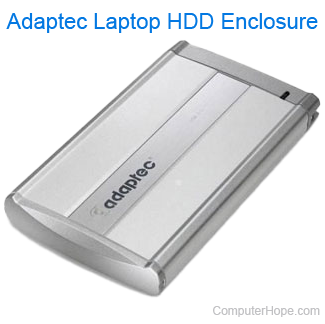
To transfer files from a computer that no longer works, the hard drive can be removed from and placed into a functional computer to transfer the information.
For example, you could remove the hard drive from a laptop and connect it directly to another computer. To do this, you would need a hard drive enclosure kit designed for laptop hard drives. This enclosure kit turns the hard drive into an external hard drive, and lets you connect it to any computer using the included USB cable.
A hard drive enclosure kit is also available for desktop computer hard drives.