
CD-ROM help and support
Updated: 08/02/2020 by Computer Hope
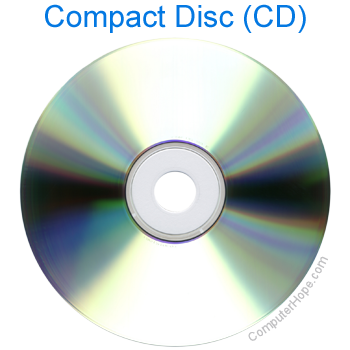
CD-ROM basics
- What is a CD-ROM?
- A full list of terms relating to a CD-ROM and disc drives.
- How to test a computer CD-ROM and DVD drive for failures.
- Disc drive drivers and manufacturer listing.
- Help and buying tips with purchasing a disc drive.
- Contact information for disc drive manufacturers.
Top CD-ROM questions and answers
- How to install a CD, DVD, or another disc drive.
- Why does the CD-ROM, DVD, or other disc drive tray not open?
- How to boot from a CD or DVD in a computer.
- How to fix a CD-ROM, DVD, or disc drive not working in Windows.
- CD-ROM is getting power but does not work.
- Cleaning a CD and other computer hardware.
- Why is my CD-ROM drive not the D: drive?
- Why is my CD or DVD skipping?
- How to change a drive letter.
- Can my CD-ROM, CD-RW, CD-R drive read DVDs?
- How to read a Macintosh CD on a PC.
- What does the x stand for on 32x?
- How to find which kind of disc drive I have.
Driver related questions
- What is a driver?
- How to find computer software and drivers.
- How to install and update a computer driver.
- Information on loading generic MS-DOS CD driver.
- Where can I get MSCD001 or MTMIDE01?
- List of computer CD-ROM drivers.
All other CD-ROM questions and answers
- How can a scratch cause a CD or DVD not to work?
- How to copy information to and from a floppy diskette or CD.
- Why does CD-ROM not work after adding a hard drive?
- How to verify CD-ROM cables are correctly connected.
- What to do if CD or DVD stuck in the drive?
- How to tell if a CD or DVD is fake.
- How to enable or disable Windows AutoPlay.
- How to make another CD player the default player.
- Why does my CD-ROM drive light blink every few seconds?
- Can CD-ROM drives be mounted vertically?
- Why do I get no sound from audio CDs on my computer?
- How to make a Windows AutoPlay CD.
- How to fix MS-DOS compatibility mode issues.
- Why is the CD-ROM drive running in MS-DOS mode?
- What does max mean on 24x max CD-ROM drive?
- Why am I only able to see audio tracks on enhanced CD?
- If I burn copies of a CD, does it degrade the quality?
- How to see all drives available on the computer.
- Why do I receive an error when a CD is put in a computer?
- How to fix a CD-ROM only detecting audio CDs.
- CD or other disc tray does not close or opens by itself.
- What is causing noise in my computer?
- Can I erase or otherwise format a CD?
- How to delete one or more files from a CD.
- ATAPI incompatible press F1 to resume.
- Programs used to rip or copy audio CDs to a computer.
- Aztech CD-ROM doesn't work with IBM Dala-3450 hard drive.
- How to reactivate Windows 10 after a hardware upgrade.
- Unable to get CDXpress to work with Windows NT.
- How to fix track error when reading, writing, or formatting a disk.
- Getting CD-ROM to work in MS-DOS and Windows 3.x
- How to fix Windows error 'Data or no disk loaded' with audio CD.
- What speed of CD-ROM drive should be purchased?
- How to fix no CD audio coming through speakers in Windows 3.x.
- How to share my CD-ROM drive in Windows 3.x.
- MS-DOS CD-ROM error codes.